Laptop Backpack vs Laptop Messenger Bag: Which One Should You Choose?
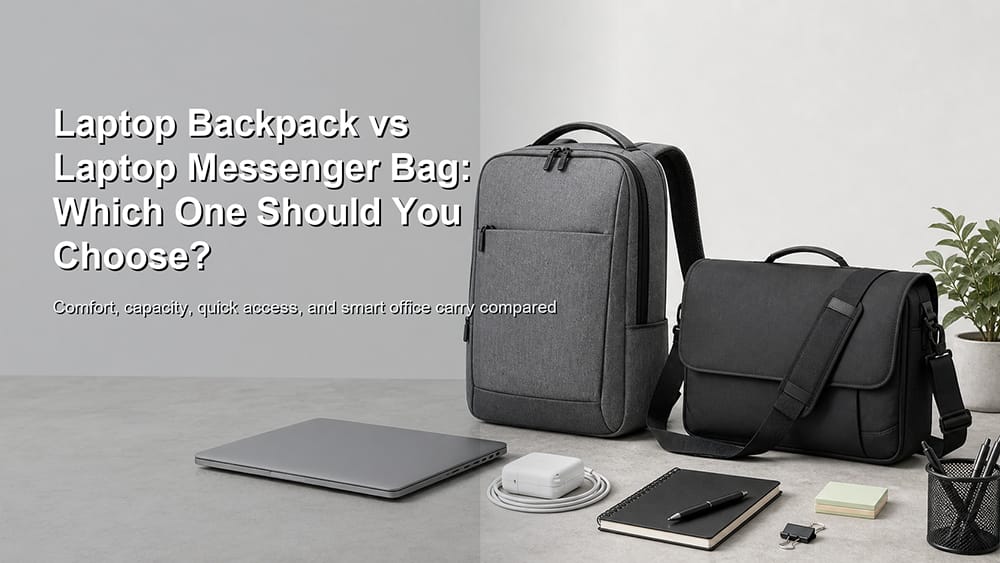
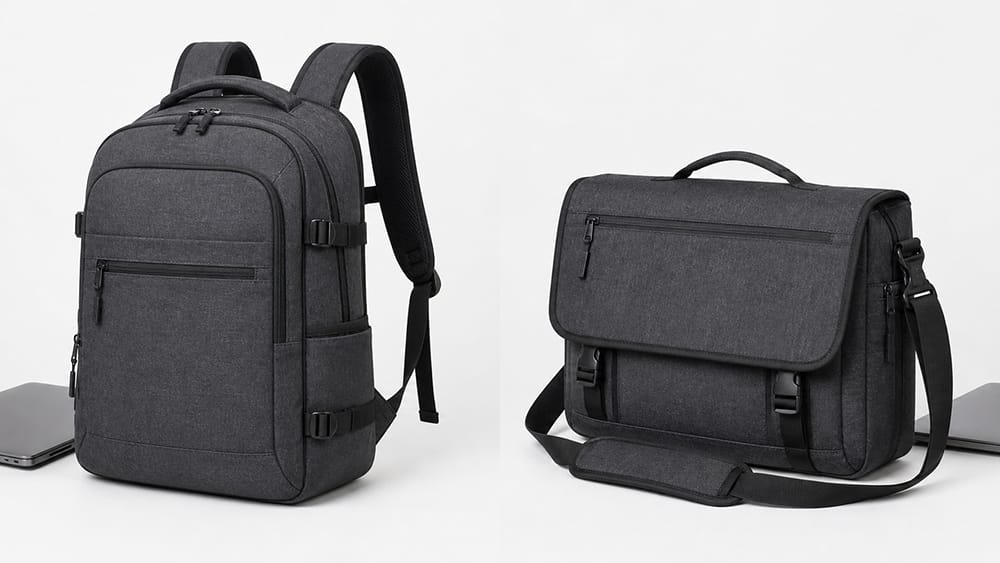
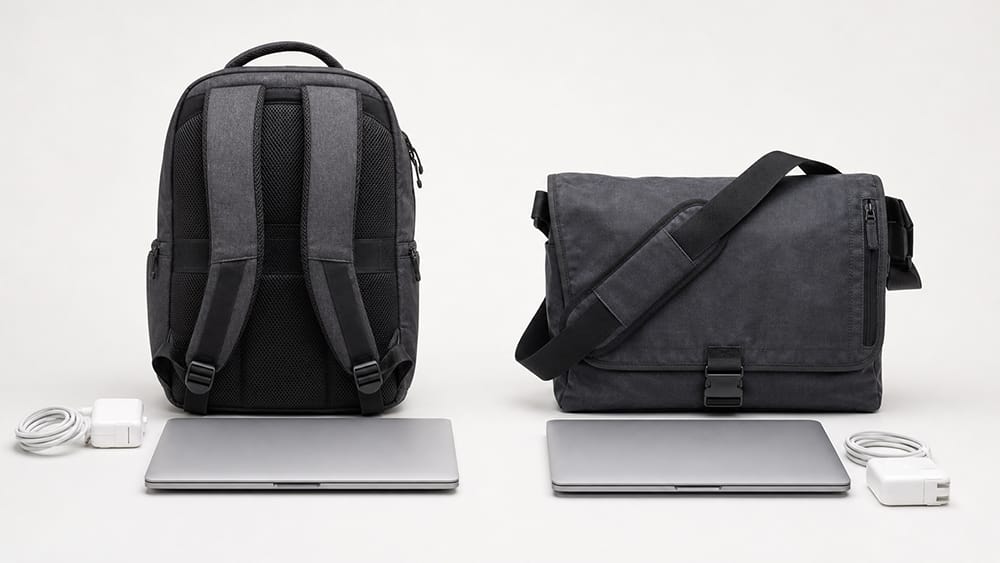
A laptop backpack and a laptop messenger bag can both carry a computer safely, but they are built for different daily routines. A laptop backpack is usually better for heavier loads, longer commutes, travel, and hands-free movement. A laptop messenger bag is usually better for lighter carry, quick side access, short commutes, and a slimmer smart-casual work look.
The better choice depends on how much you carry, how long you commute, how often you need quick access, and whether comfort or appearance matters more in your workday.
Choose a laptop backpack if you carry a laptop plus charger, documents, bottle, headphones, and other daily items, especially for long commutes, walking, public transport, cycling, or travel.
Choose a laptop messenger bag if you carry a lighter setup, want quick side access, prefer a slimmer work look, and do not want a full backpack profile.
Neither style is always better. A laptop backpack is stronger for comfort, capacity, and weight distribution. A laptop messenger bag is stronger for quick access, light carry, and smart-casual office style.
Main Difference Between a Laptop Backpack and a Laptop Messenger Bag
The main difference is how the bag is carried.
A laptop backpack uses two shoulder straps and usually sits on the back. This spreads weight more evenly and makes it easier to carry a laptop, charger, documents, water bottle, and personal items for longer periods.
A laptop messenger bag is usually carried on one shoulder or across the body. It sits at the side of the body and can be swung forward for quick access. This makes it convenient in offices, cafés, public transport, and meetings, but it can become uncomfortable if the load is heavy.
A laptop backpack is usually better when comfort, capacity, and mobility matter most. It is the stronger choice for people who carry more than a laptop and a notebook.
A laptop backpack may be better if you:
Walk or take public transport often
Carry a laptop every day
Carry charger, cables, mouse, headphones, bottle, and documents
Need your hands free
Move between office, home, coworking spaces, or meetings
Travel with work gear
Ride a bike or walk part of your commute
Carry a larger or heavier laptop
Prefer balanced weight distribution
Need more daily capacity
For commuters who carry tech and work essentials every day, a padded laptop backpack is often more practical than a one-shoulder bag because it spreads weight across both shoulders.
A laptop backpack does not have to look like a school backpack. A clean shape, slim profile, neutral color, structured front panel, and minimal branding can make it suitable for many modern work settings.
When a Laptop Messenger Bag Is Better
A laptop messenger bag is usually better when quick access, light carry, and a slimmer work style matter more than capacity.
A laptop messenger bag may be better if you:
Have a short commute
Carry a laptop, notebook, charger, and a few small items
Need quick access to documents or devices
Move often between office rooms or meetings
Prefer a side-carry or crossbody style
Do not want a backpack shape
Work in a smart-casual office
Want a bag that looks less bulky
Mostly carry lighter daily loads
A messenger bag is especially useful when you want to reach your laptop, notebook, phone, or access card without fully taking the bag off. You can rotate it to the front, open the flap or zipper, and access the main compartment quickly.
The tradeoff is shoulder load. If the bag becomes heavy, a messenger bag can place more pressure on one shoulder than a backpack.
Comfort and Shoulder Load
Comfort is one of the biggest differences between a laptop backpack and a laptop messenger bag.
A laptop backpack spreads weight across two shoulders. This usually makes it more comfortable for heavier laptops, longer commutes, and daily carry. A laptop messenger bag places most of the weight on one shoulder or across one side of the body. That can feel fine for light carry, but it may become tiring when the bag is heavy.
UC Davis ergonomics guidance recommends using both shoulder straps on a backpack and limiting carried load. Its selecting and using backpacks guidance also notes that carrying a backpack over one shoulder can cause the body to lean to one side.
For laptop users, the practical rule is simple: if the daily load is heavy or the commute is long, a backpack is usually more comfortable. If the daily load is light and quick access matters more, a messenger bag can work well.
Laptop Protection
Both laptop backpacks and laptop messenger bags can protect a computer, but the protection depends on design details, not only the bag style.
A laptop backpack often has a more stable back panel and a dedicated padded laptop compartment. This can help keep the laptop upright and close to the body. Many laptop backpacks also have more room to separate the laptop from charger, water bottle, documents, and personal items.
A laptop messenger bag can also protect a computer well, but the laptop compartment needs to be properly padded and stable. Because a messenger bag sits at the side of the body and may swing while walking, laptop positioning matters more.
Whichever style you choose, check:
Laptop compartment size
Padding on the back and front
Bottom protection
Corner protection
Soft lining
Stable fit
Separation from charger and bottle
Easy access without loose movement
HP’s laptop bag vs carrying case comparison makes a useful point: laptop bags and carrying cases can both protect a device, but they differ in design, features, and intended use. The same logic applies here. A backpack and a messenger bag can both carry a laptop, but the better choice depends on how the bag protects the device and how the user moves through the day.
Quick access is where a laptop messenger bag has a clear advantage.
A messenger bag can usually be moved from the side to the front without removing it completely. This makes it easier to reach a laptop, notebook, phone, wallet, access card, or document while moving through an office, café, train station, or meeting room.
A laptop backpack usually needs to be taken off before opening the main compartment. Some backpacks include side-access laptop zippers, quick-access front pockets, or side compartments, but standard backpacks are still slower to access than messenger bags.
Choose a laptop messenger bag if your day involves:
Frequent short meetings
Quick document access
Moving between office rooms
Coffee shop work
Public transport access
Light laptop carry
Side access without removing the bag
Choose a laptop backpack if your day involves:
Longer carry time
More items
Walking or cycling
Work travel
Heavier laptop setup
More organized compartments
Better weight balance
Capacity and Organization
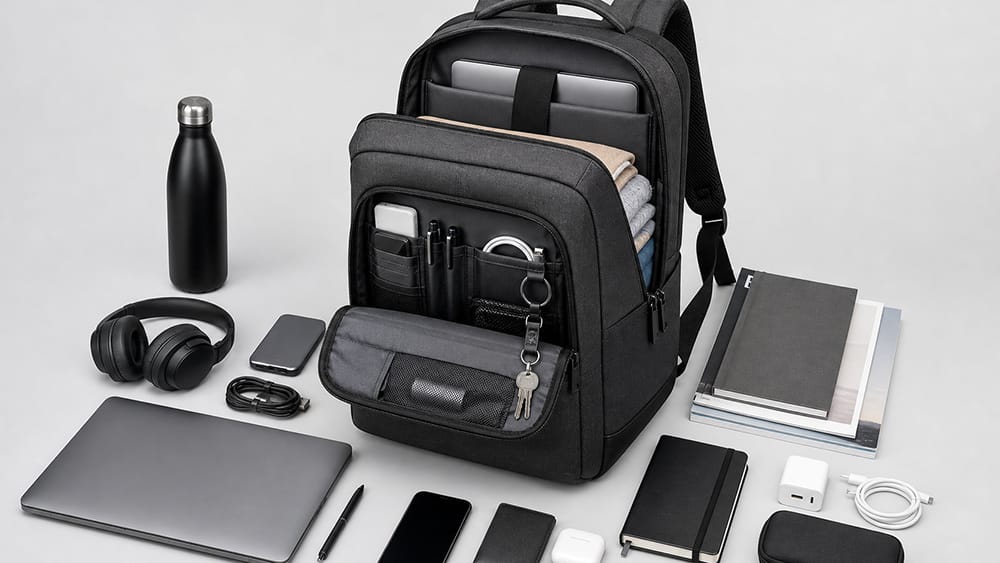
A laptop backpack usually gives more capacity. It can carry a laptop, charger, bottle, headphones, notebook, documents, power bank, lunch, and personal items without becoming overloaded too quickly.
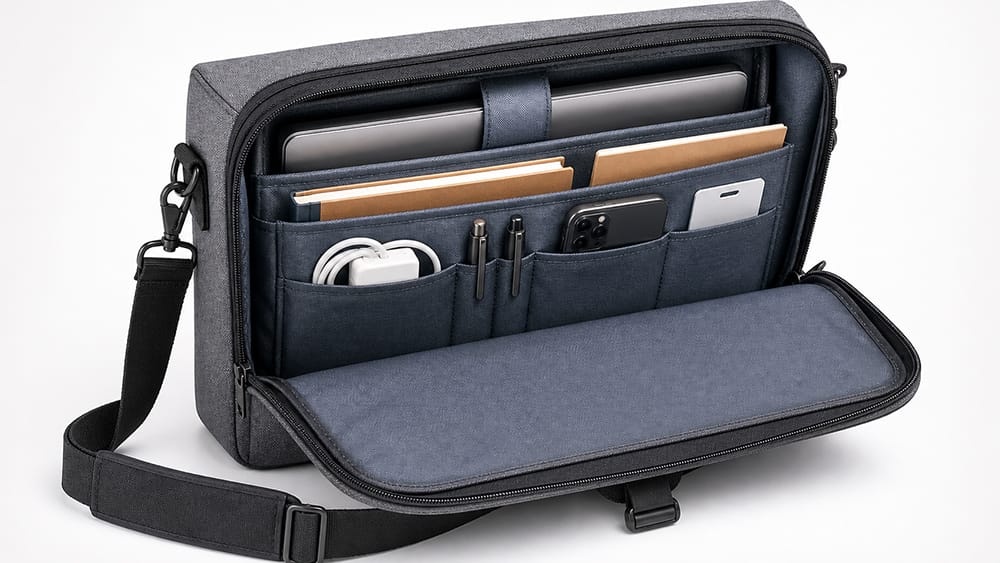
A laptop messenger bag usually gives cleaner access to fewer items. It is better for a laptop, notebook, charger, phone, wallet, pens, and slim documents.
Choose a laptop backpack if you need:
Larger capacity
Bottle pocket
More accessory storage
Travel organization
Hands-free movement
Better weight distribution
Space for personal items
Choose a laptop messenger bag if you need:
Slimmer profile
Fast side access
Light office carry
Document access
Less bulk
Smart-casual appearance
Simple daily organization
The risk with a backpack is overpacking. The risk with a messenger bag is carrying too much weight on one shoulder. The better choice depends on what you carry most days, not what you might carry once in a while.
Which One Is Better for Commuting?
For commuting, a laptop backpack is usually better if the load is heavy or the commute is long. A laptop messenger bag is usually better for short commutes and light carry.
Commute Type
Better Choice
Why
Long walking commute
Laptop backpack
Better weight distribution
Public transport with heavy load
Laptop backpack
Hands-free and more stable
Bike commute
Laptop backpack
More secure on the body
Short office commute
Laptop messenger bag
Slim and easy to access
Car commute
Either
Depends on load and style
Office-to-meeting movement
Laptop messenger bag
Faster access
Travel day
Laptop backpack
More capacity and comfort
If you commute with a laptop, charger, documents, bottle, and headphones, a backpack usually makes more sense. If you only carry a laptop, charger, notebook, and phone, a messenger bag may be enough.
Which One Fits Office Style Better?
A laptop messenger bag often gives a smart-casual work look. It can feel more polished than a casual backpack, especially in creative offices, business-casual environments, and light meeting days.
A laptop backpack can still fit office use if it is designed for work rather than school or outdoor carry. The key is shape, material, color, and branding.
A work-ready laptop backpack usually has:
Slim profile
Structured body
Neutral color
Minimal branding
Clean front panel
Hidden or tidy zipper layout
Padded laptop section that does not bulge
A work-ready laptop messenger bag usually has:
Clean flap or zipper opening
Slim side profile
Structured laptop sleeve
Neutral color
Adjustable shoulder strap
Simple hardware
Flat document area
If your workplace is very formal, a briefcase may still be more appropriate. But for many modern offices, both a laptop backpack and a laptop messenger bag can work if the design is clean and structured.
For broader office carry choices, this guide to business bags for work can help place laptop backpacks and messenger bags inside the larger work bag category.
Laptop Size Matters
Laptop size can change the decision.
A smaller 13-inch or 14-inch laptop can work well in either a backpack or messenger bag. A larger 15.6-inch, 16-inch, or 17-inch laptop may feel more comfortable in a backpack because the weight is better distributed.
Messenger bags can carry larger laptops, but the bag may become wide, heavy, or awkward when worn crossbody. If the laptop is thick, rugged, or used with a hard case, check the internal laptop compartment size carefully.
This table is a guide, not a strict rule. A well-designed messenger bag can work for many office users, and a slim laptop backpack can look appropriate in many workplaces.
Can a Laptop Messenger Bag Replace a Backpack?
Yes, a laptop messenger bag can replace a backpack if your daily load is light. It works well for users who carry a laptop, charger, notebook, phone, wallet, and a few documents.
However, a messenger bag is less ideal if you carry heavy items every day. Once you add a large laptop, charger, bottle, lunch, headphones, documents, and personal items, the single-shoulder load can become uncomfortable.
A messenger bag is best when it stays slim. If you keep filling it like a backpack, it may be time to choose a laptop backpack instead.
Can a Laptop Backpack Look Professional?
Yes, a laptop backpack can look professional if it is designed with work use in mind. Avoid overly bulky school-style shapes, loud branding, or outdoor-heavy details if the bag is mainly for office use.
A good work laptop backpack should have:
Clean exterior
Structured shape
Slim profile
Neutral color
Padded laptop compartment
Organized front pocket
Comfortable straps
Durable material
The goal is not to hide that it is a backpack. The goal is to make the backpack look intentional for work.
For Brands and Product Buyers
For product buyers, the laptop backpack vs laptop messenger bag decision is also a product positioning decision. A laptop backpack usually serves commuters, hybrid workers, travel users, and people who carry more daily items. A laptop messenger bag usually serves light office carry, smart-casual workwear, creative users, and people who value quick access.
A balanced laptop bag collection may include both:
Laptop backpacks for commuting, hybrid work, campus use, and business travel
Laptop messenger bags for smart-casual offices, light carry, and quick access
Hybrid laptop bags for users who want multiple carry options
For product buyers, the first step is to define whether the product is built for heavy commuting, light office carry, travel, or quick-access work use. For OEM/ODM projects, Vancharli Outdoor can support this process through material selection, laptop compartment planning, padding structure, strap design, handle structure, logo placement, sampling, packaging, and bulk production. The right design should start with the target user: commuter, office worker, travel user, creative professional, campus user, or brand buyer.
Quick Decision Guide
Choose a laptop backpack if:
You commute daily
Your laptop setup is heavy
You carry charger, bottle, documents, and accessories
You walk, cycle, or use public transport
You need hands-free movement
You travel for work or school
You want better weight distribution
Choose a laptop messenger bag if:
Your daily load is light
You want quick side access
You prefer a slimmer work look
You have a short commute
You carry mostly laptop, notebook, charger, and documents
You work in a smart-casual office
You do not want a backpack profile
Final Thoughts
A laptop backpack is usually better for comfort, heavier loads, commuting, travel, and balanced weight distribution. A laptop messenger bag is usually better for quick access, lighter carry, short commutes, and smart-casual office style.
The best choice depends on your real day. If you carry many items and move around a lot, a laptop backpack will likely be more comfortable. If you carry a lighter setup and want fast access without taking the bag off, a laptop messenger bag may be the better choice.
The right laptop bag should protect the computer, fit the daily load, match the user’s work style, and feel comfortable during actual use.
FAQ
Is a laptop backpack better than a messenger bag?
A laptop backpack is usually better for heavier loads, longer commutes, travel, and hands-free movement. A messenger bag is better for light carry, quick access, and smart-casual work settings.
Is a messenger bag good for carrying a laptop?
Yes, a messenger bag can be good for carrying a laptop if it has a padded laptop compartment, stable fit, bottom protection, and enough structure to keep the device secure.
Which is better for commuting?
A laptop backpack is usually better for long commutes, walking, cycling, or public transport. A laptop messenger bag works well for short commutes and lighter office carry.
Which looks more professional?
A laptop messenger bag often gives a smart-casual office look. A laptop backpack can also look professional if it has a slim shape, neutral color, minimal branding, and structured design.
Which is better for a heavy laptop?
A laptop backpack is usually better for a heavy laptop because it spreads weight across both shoulders. A messenger bag can become uncomfortable when overloaded.
Can a laptop messenger bag hurt your shoulder?
It can become uncomfortable if it is too heavy or carried for long periods on one shoulder. A messenger bag works best for lighter daily loads.
What should a laptop backpack have?
A laptop backpack should have a padded laptop compartment, comfortable shoulder straps, stable back panel, water-resistant material, organized pockets, secure zippers, and a clean work-ready exterior.
What should a laptop messenger bag have?
A laptop messenger bag should have a padded laptop sleeve, stable laptop fit, adjustable shoulder strap, quick-access pocket, secure closure, document space, durable material, and a slim profile.












Comments are closed