What Makes a Good Laptop Bag? Key Features Buyers Should Check
A good laptop bag should do more than hold a computer. It should fit the laptop correctly, protect it with proper padding and structure, organize daily essentials, feel comfortable to carry, and match how the user actually works, studies, commutes, or travels.
The best laptop bag is not always the biggest, most expensive, or most heavily padded one. It is the bag that protects the device without making daily carry harder. Different users may prioritize different details: a student may care more about capacity and weight, while a business traveler may care more about quick laptop access and travel organization. But the core checklist is similar: fit, protection, organization, comfort, durability, and use case.
HP’s laptop bag vs carrying case comparison makes a useful distinction: laptop bags and carrying cases both protect a device, but they differ in design, features, and intended use. That is exactly why buyers should not judge a laptop bag by appearance alone. A good laptop bag needs to solve real carrying problems.
A professional or lifestyle-appropriate appearance
Travel-friendly access if used for flights
Reliable zippers, stitching, and stress-point reinforcement
If a bag looks nice but the laptop compartment is loose, thin, or hard to access, it is not a good laptop bag. If the bag is protective but uncomfortable to carry every day, it may still be the wrong choice.
1. Correct Laptop Fit
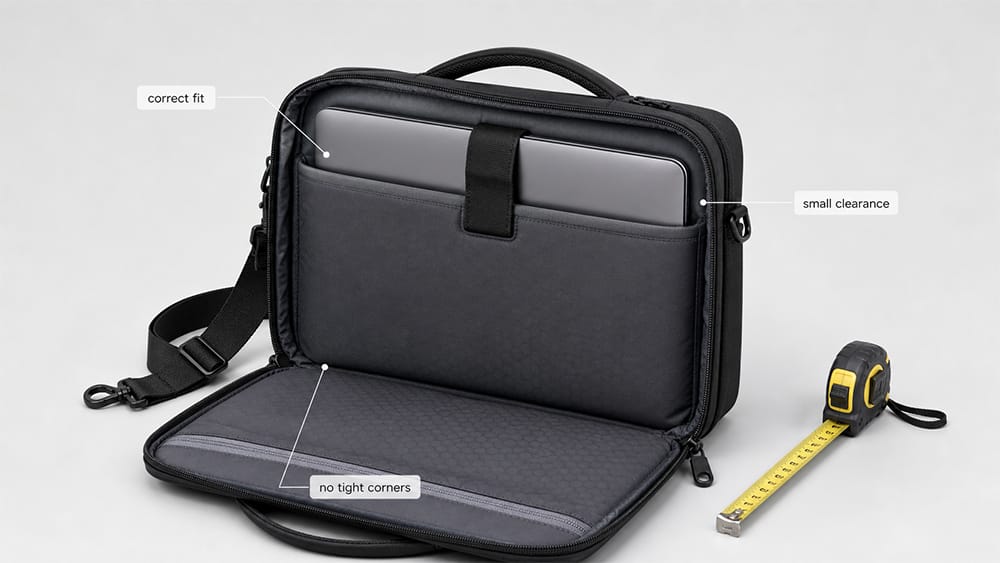
The first feature to check is fit. A laptop bag should match the real size of the laptop, not just the screen-size label.
Most laptop bags are labeled by screen size, such as 13 inch, 14 inch, 15.6 inch, 16 inch, or 17 inch. For standard slim laptops, this size label is usually a helpful starting point. However, laptops with the same screen size can still have different body widths, depths, and thicknesses.
This matters most for:
Gaming laptops
Mobile workstations
Rugged laptops
Older thick laptops
Laptops with hard protective cases
Laptops close to the bag’s maximum size
A good laptop bag should have a compartment slightly larger than the laptop body. It should not force the corners, press against the zipper, or leave the device sliding around loosely.
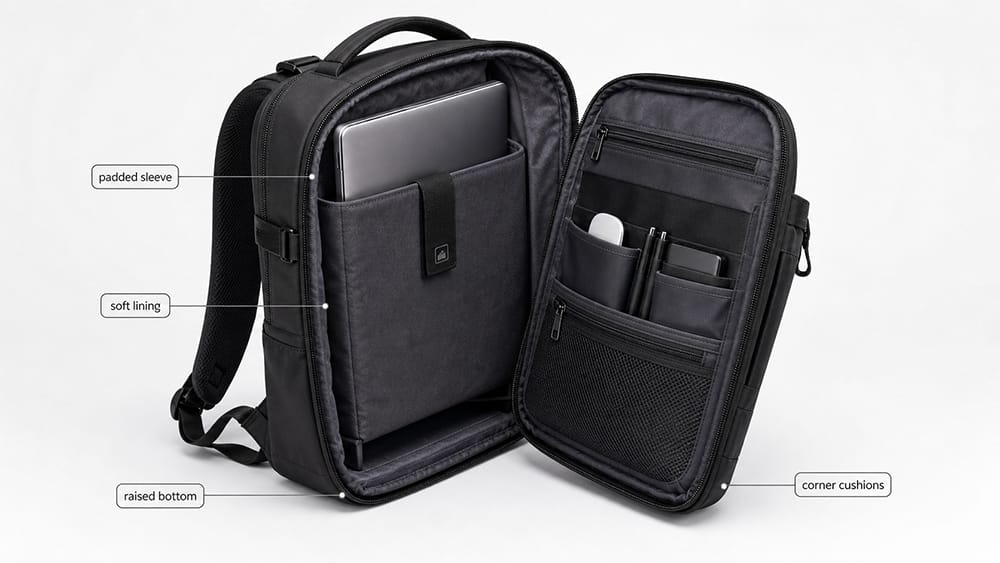
A padded laptop compartment is one of the most important features of a good laptop bag. The compartment should protect the computer from everyday bumps, light impact, and pressure from other items in the bag.
Good padding should cover more than just the back panel. Check for:
Back padding
Front padding
Side padding
Bottom padding
Corner protection
Soft lining
A compartment that does not collapse too easily
The bottom of the laptop compartment is especially important. If the laptop sits directly on the bottom of the bag, it may hit the ground when the bag is placed down. A raised or suspended laptop compartment can reduce this risk.
A soft lining is also useful because it helps reduce scratches on the laptop surface.
3. Bottom and Corner Protection
Laptop damage often happens at the corners or bottom edge. These are the areas most likely to hit the floor, desk, car seat, or overhead bin.
A good laptop bag should protect these stress points. This can come from:
Extra padding at the bottom
A suspended laptop sleeve
Reinforced corners
A padded back panel
A structured compartment wall
A laptop strap that keeps the computer upright
This does not mean the bag must be bulky. A slim laptop bag can still offer good protection if the padding is placed in the right areas.
4. Secure Laptop Positioning
A laptop bag should not only have a laptop compartment. It should also keep the laptop stable.
If the laptop moves around inside the bag, it can hit other items, slide to one side, or press against the zipper. A good design keeps the device close to the back panel or inside a fixed padded section.
Useful details include:
Elastic strap
Hook-and-loop tab
Snug laptop sleeve
Structured back panel
Laptop divider
Compression from the compartment shape
Separate space between laptop and accessories
The fit should feel secure, but not too tight. The laptop should slide in smoothly and stay in place during normal walking, commuting, or travel.
5. Durable Outer Material
A laptop bag is used often, so the outer material needs to handle daily wear. The right material depends on the user and the intended market.
Common laptop bag materials include:
Material
Main Advantage
Best For
Nylon
Lightweight, durable, often water-resistant
Commuting, travel, daily use
Polyester
Cost-effective, versatile, easy to customize
Office, school, promotional bags
Leather
Premium appearance, professional look
Business, executive, formal use
Vegan leather
Leather-like appearance at lower cost
Business casual, fashion work bags
Canvas
Casual, sturdy, relaxed style
Creative work, everyday carry
Recycled fabric
Sustainability positioning
Modern commuting and eco-focused collections
A good laptop bag material should match the user’s lifestyle. A business traveler may need lightweight water-resistant nylon. A formal office user may prefer leather or a structured synthetic material. A student may prefer a lighter, more affordable polyester laptop backpack.
6. Water Resistance for Daily Protection
A good laptop bag should offer at least some water resistance. This does not mean every laptop bag must be fully waterproof, but it should help protect the device from light rain, splashes, and daily commuting exposure.
There is a difference between water-resistant and waterproof:
Water-resistant means the bag can resist light moisture for a limited time.
Waterproof means the bag is designed to prevent water entry under stronger exposure, often with special construction.
Most daily laptop bags are water-resistant, not fully waterproof. That is usually enough for office commuting, school, or short walks in light rain. For heavier rain or outdoor work, buyers should check the fabric coating, zipper construction, seams, and bottom panel.
A good laptop bag should not rely only on water-resistant fabric. The zipper path, seam construction, bottom panel, and fabric coating also affect how well the bag handles light rain or splashes.
7. Organization for Daily Essentials
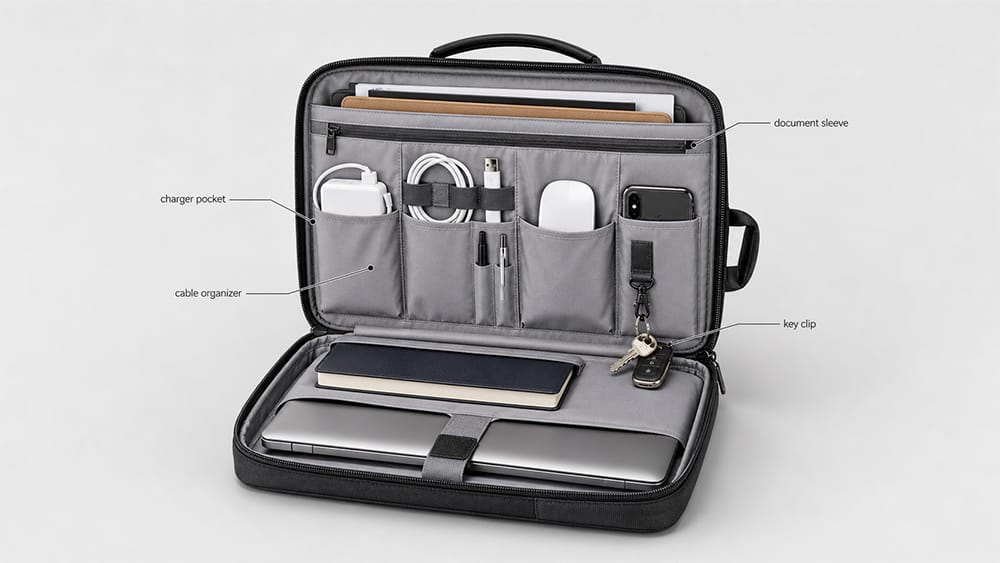
A laptop bag should help users carry more than the laptop. The goal is not to add as many pockets as possible. The goal is to keep daily essentials easy to find without making the bag heavy or confusing.
Useful organization features include:
Charger pocket
Mouse pocket
Cable organizer
Phone pocket
Notebook sleeve
Document section
Pen slots
Key clip
Passport pocket
Power bank pocket
Water bottle pocket
Zippered pocket for valuables
A good layout separates tech items from documents and personal items. The charger should not scratch the laptop. The water bottle should not press against the computer. Documents should stay flat instead of being bent by bulky accessories.
For work users, organization often matters as much as capacity.
8. Carrying Comfort
Comfort becomes important when a laptop bag is used every day. A bag that feels fine for five minutes may become uncomfortable during a commute, airport transfer, or long walk.
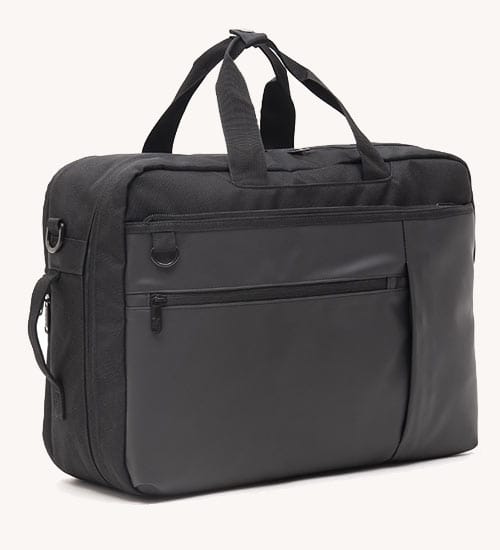
For shoulder laptop bags, check:
Padded shoulder strap
Adjustable strap length
Stable strap attachment
Comfortable top handles
Strap width
Weight balance when filled
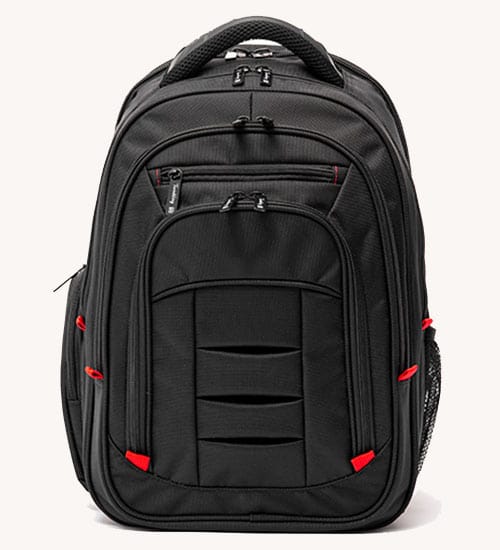
For laptop backpacks, check:
Padded shoulder straps
Breathable back panel
Adjustable straps
Chest strap, if needed
Back panel structure
Weight distribution
Although AOTA’s backpack guidance is written for students, its 10% weight recommendation is still a useful reminder for daily carry: a bag that is used every day should be planned around weight, comfort, and carrying method. You can see the guidance in AOTA’s safe backpack use article.
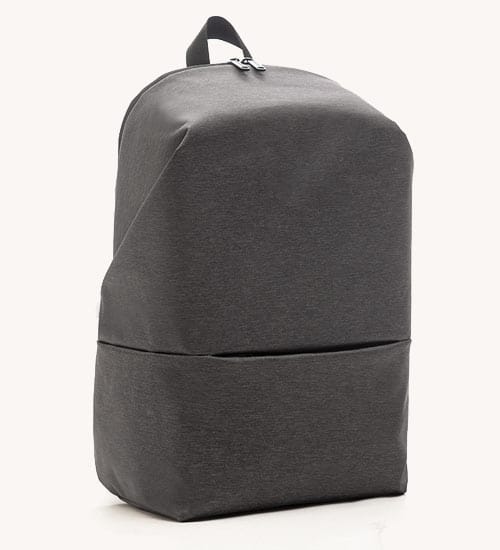
For commuters who carry a laptop, charger, documents, and personal items every day, a padded laptop backpack may be more comfortable than a single-shoulder laptop bag because it spreads weight across both shoulders.
9. A Professional or Suitable Appearance
A good laptop bag should match where it will be used: classroom, office, client meeting, daily commute, or business travel. A laptop bag for a student can look different from a laptop bag for an executive, a designer, or a business traveler.
For office use, a laptop bag usually looks better when it has:
Clean lines
Neutral colors
Minimal branding
Structured front panel
Simple hardware
Professional material texture
A shape that does not bulge when filled
A business laptop bag does not need to look like a traditional briefcase. It can be a backpack, tote, messenger bag, or shoulder bag. The key is whether it looks appropriate for the user’s workplace and daily routine.
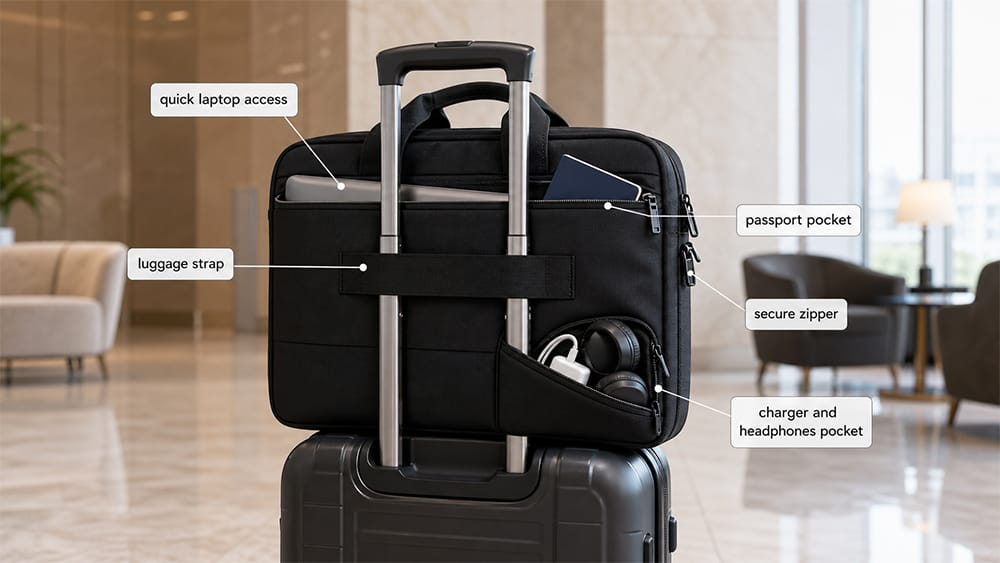
If the laptop bag will be used for business travel or flights, travel features become important.
Useful travel-friendly details include:
Quick-access laptop compartment
Luggage strap
Passport pocket
Boarding pass pocket
Secure zipper closure
Easy-access front pocket
Compact underseat-friendly size
Comfortable handle
Space for charger and headphones
Laptop access matters at airport security. TSA lists laptops as allowed in both carry-on and checked bags, and its laptop screening guidance says standard screening may require travelers to remove laptops from the bag and place them in a separate bin for X-ray screening. TSA PreCheck travelers usually do not need to remove laptops.
If users travel with spare lithium batteries or power banks, the FAA’s PackSafe lithium batteries guidance is also important. FAA guidance says spare lithium batteries and power banks must be carried in carry-on baggage only. If a carry-on bag is checked at the gate or planeside, spare lithium batteries and power banks must be removed from the bag and kept with the passenger in the cabin.
A good laptop bag should help protect valuable items, especially during commuting and travel. Security does not need to be complicated, but the basic details should be reliable.
Useful security features include:
Strong zipper closure
Lockable zipper pulls
Hidden back pocket
Inner zippered pocket
Anti-theft pocket placement
Secure laptop strap
Durable zipper sliders
RFID pocket for cards or passport, if needed
RFID pockets can be useful for certain users, but they should not be treated as the most important feature. For most laptop bags, basic physical security, strong closure, and smart pocket placement matter more.
12. Weight and Capacity Balance
Bigger is not always better. A laptop bag should carry what the user needs without becoming too heavy, bulky, or hard to organize.
A good laptop bag should have enough room for:
Laptop
Charger
Mouse
Notebook
Documents
Phone
Wallet
Keys
Small accessories
But it should not become so large that it feels like luggage unless it is designed for travel. Too many pockets can also add weight and make the bag harder to use.
The best capacity is the capacity that matches the real daily load. For business users, a slim but structured bag may be better than a large casual backpack. For students or commuters, a backpack may be more practical than a narrow briefcase.
13. Construction Quality
Construction quality is what separates a good laptop bag from one that only looks good in photos. Buyers should check how the bag is built, not only how it looks.
Important construction details include:
Clean stitching
Reinforced stress points
Bartack stitching at straps and handles
Strong zipper tape
Smooth zipper movement
Strong handle attachment
Reinforced shoulder strap connection
Durable lining
Edge binding
Bottom panel structure
Consistent shape after loading
The handle and shoulder strap areas are especially important because they carry the weight of the laptop and daily items. Weak stitching or poor reinforcement can cause failure even if the outer material looks strong.
For brands and product buyers, this is one of the most important areas to inspect during sampling and quality control.
14. Easy Access Without Losing Protection
A laptop bag should make the laptop easy to remove when needed, but still protect it when carried. This balance matters for office users, students, and travelers.
Good access features include:
Wide zipper opening
Separate laptop compartment
Smooth zipper path
Clear pocket layout
Quick-access front section
Laptop sleeve that does not catch on corners
If the laptop is difficult to remove, users may stop using the compartment properly. If it is too easy to slide out, the bag may not feel secure. A good design allows controlled access.
15. The Right Style for the Use Case
A good laptop bag should match the user’s real routine.
User Need
Better Laptop Bag Direction
Office work
Structured laptop shoulder bag or business laptop bag
Daily commuting
Laptop backpack or messenger laptop bag
Business travel
Travel-friendly laptop bag with luggage strap
School or campus
Laptop backpack with larger capacity
Client meetings
Laptop briefcase or clean laptop tote
Light carry
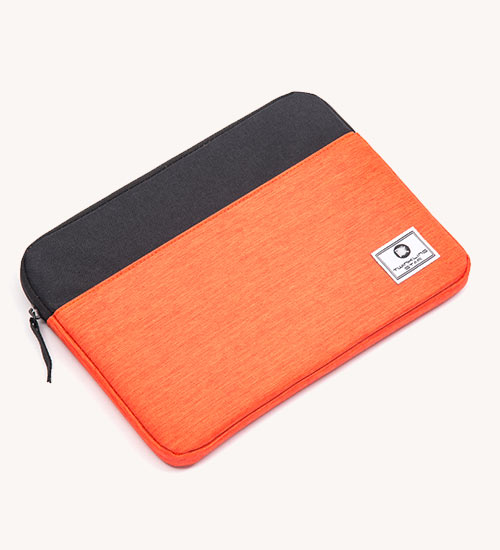
Laptop sleeve or slim laptop shoulder bag
Heavy laptop
Laptop backpack or rolling laptop bag
There is no single best laptop bag for everyone. A good laptop bag is good because it fits the user’s laptop, daily load, work setting, and carrying habits.
For product buyers, a good laptop bag is not only a finished style. It is a balance of laptop compartment sizing, padding structure, material choice, organization layout, carrying comfort, and brand positioning.
A laptop bag line should be planned around the target user:
Office workers may need a clean professional look.
Students may need lighter weight and larger capacity.
Business travelers may need luggage straps and quick laptop access.
Commuters may need water-resistant materials and comfortable carry.
Premium buyers may care more about materials, hardware, and finish.
For brands developing a well-designed laptop bag, the practical process usually starts with the user profile and laptop size range, then moves into material selection, padding structure, compartment layout, hardware, branding, sampling, and bulk production. For OEM/ODM projects, Vancharli Outdoor can support this process through laptop compartment planning, material selection, padding structure, logo customization, sampling, and bulk production for work, commuting, travel, and business product lines.
Quick Checklist Before Choosing a Laptop Bag
Before buying or developing a laptop bag, check these points:
Does the laptop fit the compartment correctly?
Is the laptop compartment padded?
Is there bottom and corner protection?
Does the laptop stay secure inside the bag?
Is the outer material durable enough for daily use?
Is the fabric water-resistant?
Are chargers, cables, and accessories easy to organize?
Are the straps or handles comfortable?
Does the bag match the user’s work or lifestyle setting?
Is it easy to access the laptop?
Are the zippers and stitching reliable?
Is the bag light enough when empty?
Does the capacity match the real daily load?
A bag that passes these checks is more likely to protect the laptop and stay useful in daily life.
Final Thoughts
A good laptop bag is not defined by one feature. It is the result of good fit, reliable protection, organized storage, comfortable carrying, durable materials, and thoughtful construction.
For everyday users, the best laptop bag is the one that protects the device without slowing down the day. For product buyers, the best laptop bag is the one that matches the target user, price level, laptop size range, and real carrying habits.
If you only check one thing, start with laptop protection and fit. If the bag cannot hold the laptop securely and protect it properly, the rest of the features matter much less.
FAQ
What should I look for in a laptop bag?
Look for correct laptop fit, a padded compartment, bottom protection, durable material, water resistance, comfortable straps, organized pockets, and reliable zippers and stitching.
How much padding should a laptop bag have?
A laptop bag should have padding on the back, front, bottom, and sides of the laptop compartment. Bottom and corner protection are especially important because these areas are more likely to hit surfaces.
Should a laptop bag be waterproof?
Most daily laptop bags do not need to be fully waterproof, but they should be water-resistant enough for light rain or commuting exposure. For heavy rain or outdoor work, check fabric coating, zippers, seams, and bottom construction.
What material is best for a laptop bag?
There is no single best material. Nylon and polyester are practical for commuting and travel, leather offers a more professional look, canvas feels casual, and recycled fabrics can support sustainability-focused products.
Is a laptop backpack better than a shoulder laptop bag?
A laptop backpack is often better for heavier loads and longer commutes because it spreads weight across both shoulders. A shoulder laptop bag may look more formal and work well for lighter daily carry.
How do I know if my laptop fits the bag?
Check the internal laptop compartment size, not only the product title. If your laptop is thick, rugged, or has a hard case, measure the laptop body and compare it with the compartment dimensions.
What makes a laptop bag good for travel?
A travel-friendly laptop bag should have quick laptop access, a luggage strap, secure zippers, organized pockets, comfortable carrying, and a size that works for flights or daily travel.
What features matter most for business laptop bags?
Business laptop bags should combine laptop protection, professional appearance, document storage, organized pockets, comfortable carrying, and durable materials.










Comments are closed