How to Measure Laptop Size for a Bag: A Simple Fit Guide
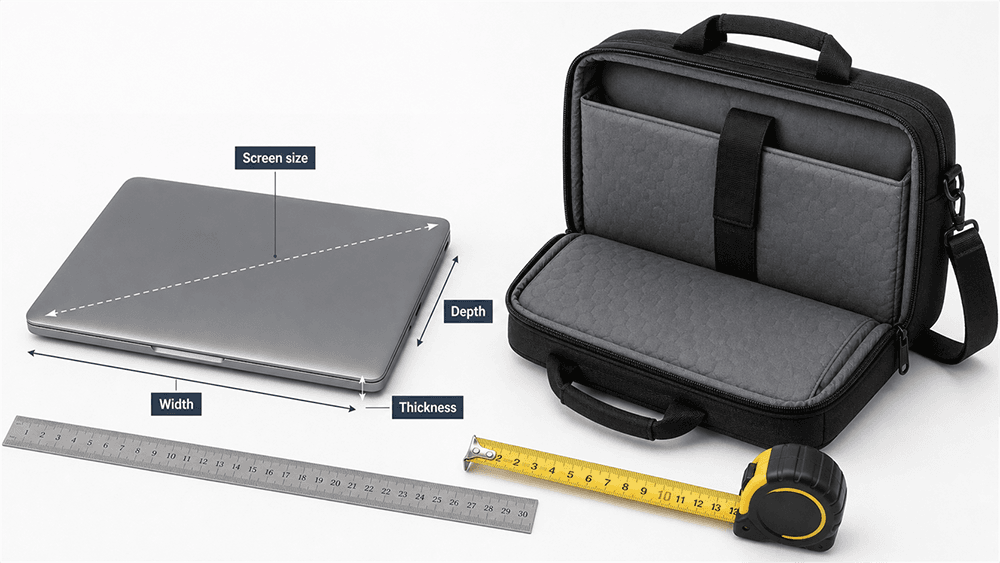
To measure a laptop for a bag, close the laptop and measure the full outside body: width, depth, and thickness. Do not rely only on the screen size. A 15.6-inch laptop does not mean the laptop is 15.6 inches wide. That number usually refers to the diagonal screen measurement, while the bag fit depends on the actual outside dimensions of the laptop and the internal size of the laptop compartment.
For most standard 15.6-inch office laptops, a laptop bag labeled for 15.6-inch laptops will usually work. The reason to measure is not because bag size labels are useless. It is because laptops with the same screen size can still have different body widths, corner shapes, hinge designs, thicknesses, and protective cases. If your laptop is thick, rugged, unusually wide, or close to the maximum listed size, checking the actual body dimensions helps you avoid a tight fit.
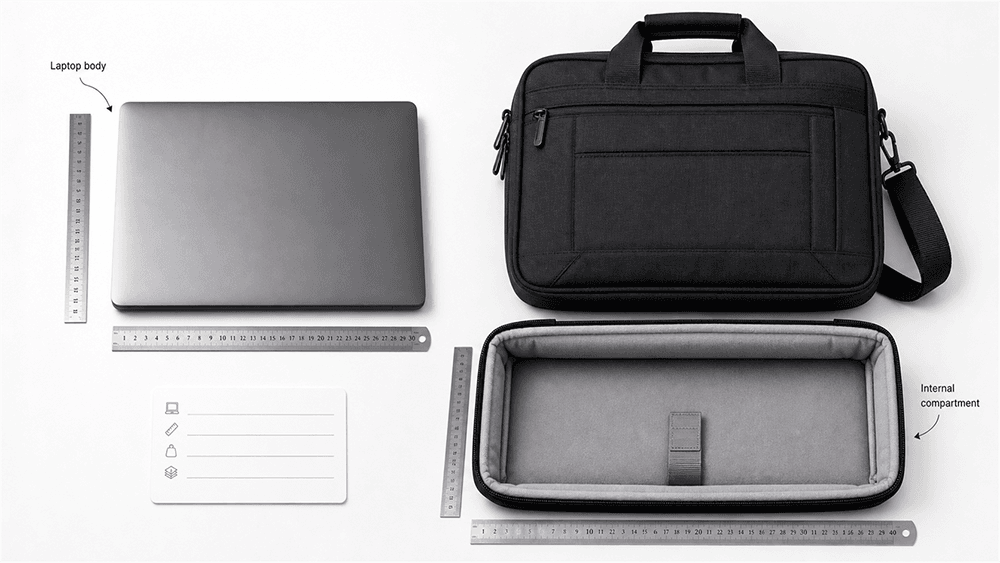
If you want the right fit, measure the laptop body first, then compare your numbers with the bag’s internal laptop compartment dimensions.
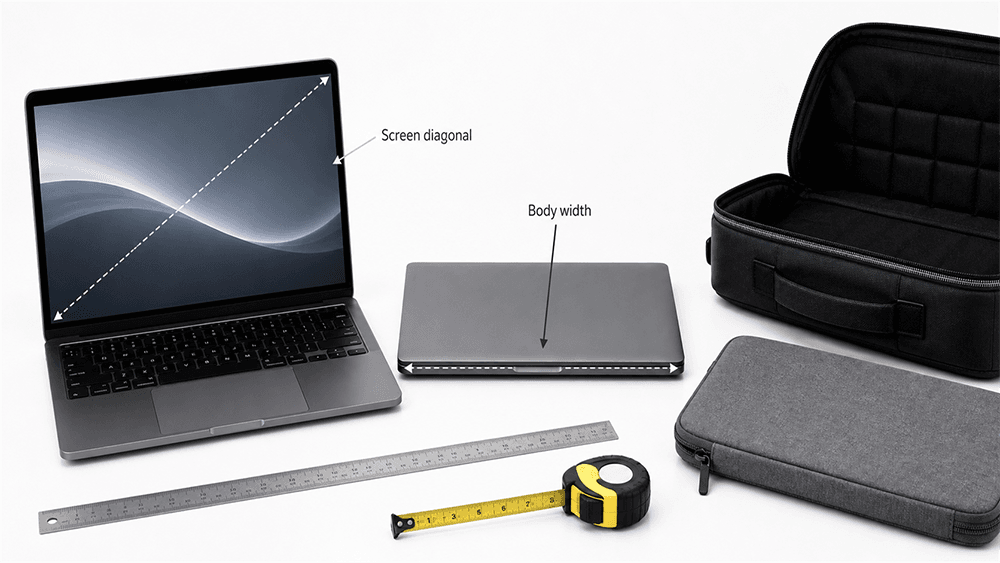
Laptop size labels can be confusing because they usually describe the screen, not the full device. A 13-inch, 14-inch, 15.6-inch, or 17-inch laptop size normally refers to the diagonal measurement of the display area.
HP’s guide to laptop screen sizes explains that screen size is measured diagonally from one corner of the display to the opposite corner, excluding the bezel, which is different from measuring the full width or depth of the laptop body.
That means screen size is helpful, but it is not the only thing to check when choosing a bag. A laptop bag has to fit the entire device, including:
The outer shell
Screen bezel
Hinges
Rounded corners
Rubber feet
Any hard case or protective cover
The actual thickness of the closed laptop
For a standard slim laptop, choosing a bag by the screen-size label is often enough. For a thicker laptop, a gaming laptop, a workstation, or a laptop with a hard case, the body measurements matter more.
What Measurements Do You Need for a Laptop Bag?
Before choosing a laptop bag, sleeve, or backpack, measure four things:
Measurement
What It Means
Why It Matters
Screen size
Diagonal display size
Helps identify the general laptop category
Width
Left edge to right edge of the closed laptop
Decides whether the laptop fits across the compartment
Depth
Front edge to back edge of the closed laptop
Decides whether the laptop fits fully inside the bag
Thickness
Bottom base to top cover when closed
Decides whether the compartment is too tight or easy to zip
For bag fit, screen size is only a starting point. The most accurate buying decision should come from the laptop body dimensions and the internal laptop compartment size.
Step 1: Measure the Screen Diagonally
Start with the screen size because this is how most bags are labeled.
Open the laptop and measure only the visible display area. Place your ruler or tape measure at one corner of the screen and measure diagonally to the opposite corner. Do not include the surrounding bezel, frame, or casing.
For example, if the visible display measures around 15.6 inches diagonally, you have a 15.6-inch laptop screen. But this does not mean the laptop body is 15.6 inches wide. The actual laptop may be wider because of the bezel, hinge, and outer shell.
This measurement helps you understand the category, but it should not be the only number you use when the fit is close.
Step 2: Measure the Laptop Width
Now close the laptop completely and place it on a flat surface.
Measure from the left outer edge to the right outer edge of the laptop body. Keep the ruler or tape measure straight and flat. This is the laptop width.
Width is one of the most important measurements because it determines whether the laptop can slide into the bag’s laptop compartment without forcing the corners. Most bags labeled for a certain laptop size are designed with normal body dimensions in mind, but checking width is useful when your laptop has a wider frame, a rugged shell, or a hard protective case.
When comparing your laptop width with a bag, look for the internal compartment width, not just the outside bag width.
Step 3: Measure the Laptop Depth
Laptop depth means the front-to-back measurement of the closed laptop.
With the laptop closed, measure from the front edge to the back edge, including the hinge area. This is especially important for laptop sleeves and tight padded compartments because the hinge area can make the laptop slightly deeper than expected.
Depth is also where some gaming laptops and workstation laptops become harder to fit. Even if the screen size is common, the body may be deeper because of cooling vents, stronger hinges, or a larger chassis.
If your laptop depth is very close to the compartment depth, the fit may be tight once padding and lining are included.
Step 4: Measure the Laptop Thickness
Keep the laptop closed and measure from the bottom of the base to the highest point of the top cover. If the laptop has rubber feet, raised edges, or a hard protective case, include those in the measurement.
Currys’ laptop size guide also notes that thickness should be measured with the laptop closed and should include rubber feet. This detail matters because even a small increase in thickness can make a laptop sleeve hard to close or make a backpack compartment feel too tight.
Thickness is especially important for:
Gaming laptops
Mobile workstations
Older laptops
Rugged laptops
Laptops with hard protective shells
Laptops with extended batteries or raised rubber feet
A slim business laptop may fit easily in a compact bag, while a gaming laptop with the same screen size may need a larger compartment.
How Much Extra Space Should a Laptop Bag Have?
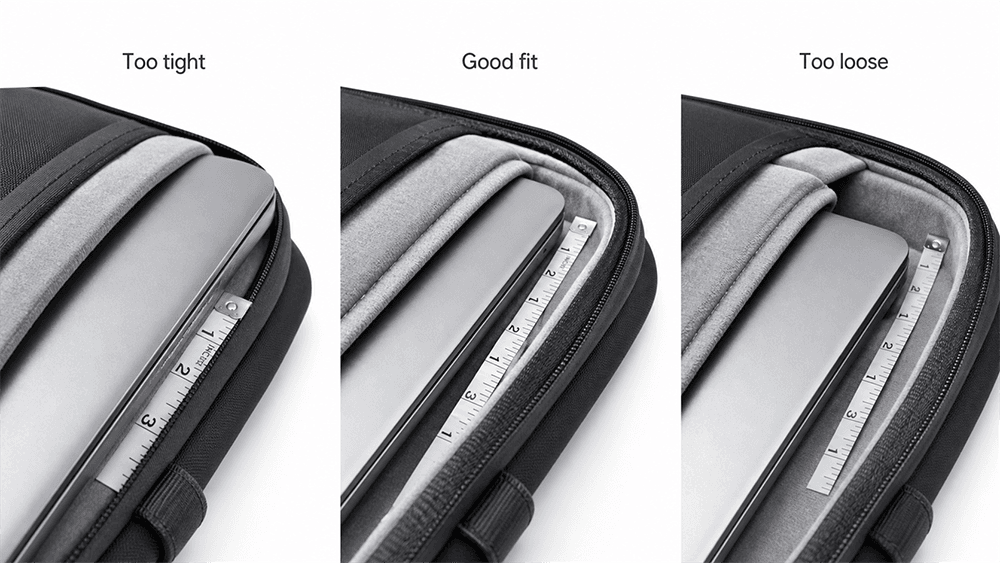
A laptop bag should not be too tight or too loose. If the fit is too tight, the zipper may press against the laptop corners, and the device may be hard to remove. If the fit is too loose, the laptop may slide around inside the compartment and lose some protection.
A good fit depends on the type of bag.
Bag Type
Recommended Fit
Best For
Laptop sleeve
Slightly snug, with a small amount of extra space
Minimal protection and daily carry
Laptop briefcase or shoulder bag
About 0.5 inch of extra room around the laptop
Work, commuting, business use
Laptop backpack
Enough space for the padded compartment to hold the laptop securely
Hands-free daily carry
Travel laptop bag
Slightly more room is acceptable, but the laptop should still be fixed in place
Airport, business travel, carry-on use
As a general guide, leave about 0.25–0.5 inch of extra space for a sleeve and about 0.5 inch or slightly more for a padded laptop bag or backpack. The goal is to make the laptop easy to insert and remove without allowing it to move too much inside the bag.
How to Compare Your Laptop Measurements With Bag Dimensions
When checking a laptop bag online, the product title is useful. A title that says “fits 15.6-inch laptops” is usually reliable for standard laptops in that size category. But if your laptop is thicker than average, has a hard case, or is close to the maximum size, the internal compartment dimensions are still worth checking.
Look for these details in the product description:
Laptop compartment width
Laptop compartment height or depth
Maximum laptop size
Whether the compartment is padded
Whether the bag has a separate sleeve or elastic strap
Whether the stated dimensions are internal or external
This point is important: external bag dimensions are not the same as internal laptop compartment dimensions.
A bag may look large on the outside but have a smaller laptop compartment because of padding, lining, pocket structure, or curved corners. If your laptop is close to the maximum listed size, choose a slightly larger compartment or check the seller’s exact internal measurements.
Common Laptop Bag Size Mistakes
Many wrong purchases happen because people measure the wrong thing or trust the size label too much.
Here are the most common mistakes:
Thinking a 15.6-Inch Laptop Is 15.6 Inches Wide
A 15.6-inch laptop usually means the screen is 15.6 inches diagonally, not that the laptop body is 15.6 inches wide. Most bags labeled for 15.6-inch laptops are designed with this in mind, but the actual body size can still matter for thick, rugged, or unusually wide laptops.
Measuring Only the Screen
The bag must hold the whole laptop, not just the screen. Always measure the closed body if the fit is close or if the laptop is not a slim standard model.
Ignoring Thickness
A thick laptop may not fit a slim sleeve even if the width and depth look correct.
Forgetting About a Hard Case
If you keep a hard shell case on your laptop, measure the laptop with the case attached.
Choosing a Sleeve With No Extra Space
A sleeve that matches the laptop dimensions exactly may be too tight once padding and lining are included.
Looking Only at External Bag Size
The laptop compartment is usually smaller than the outside of the bag.
Forgetting the Charger and Accessories
If you carry a charger, mouse, notebook, documents, or adapter, you may need a laptop bag rather than a very slim sleeve.
What Size Bag Do You Need for Common Laptop Sizes?
The table below is only a general guide. For most standard laptops, the screen-size label is a useful starting point. For thick laptops, rugged laptops, gaming laptops, or laptops with hard cases, always check the body measurements.
Laptop Screen Size
Common Bag Category
Fit Reminder
11–12 inch
12–13 inch laptop bag or sleeve
Good for compact laptops and tablets with keyboards
13 inch
13–14 inch laptop bag
Usually easy to fit in slim bags
14 inch
14–15 inch laptop bag
Check body width if the laptop has a wider frame
15 inch
15–16 inch laptop bag
Check both width and depth
15.6 inch
15.6–16 inch laptop bag
Usually fits standard office laptops, but thicker models need checking
16 inch
16 inch laptop bag
Check corner padding and thickness
17 inch
17–18 inch laptop bag
Often needs a larger backpack, briefcase, or travel bag
If your laptop is between two bag sizes, choose based on the compartment dimensions, not the label alone. A slim 15-inch laptop may fit in some 15-inch bags, while a thick 15.6-inch laptop may need a 16-inch or larger compartment.
Different bag types fit differently, even when they are made for the same laptop size.
Laptop Sleeve
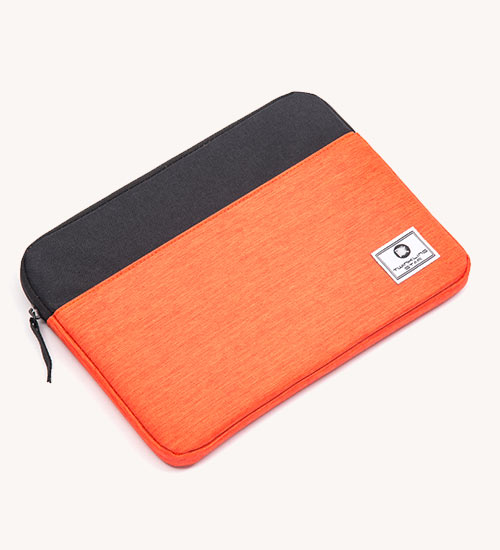
A laptop sleeve should be close-fitting. It is designed to protect the laptop from scratches and light bumps, not to hold many accessories. If the sleeve is too loose, the laptop may slide. If it is too tight, the zipper or seams may press against the corners.
Laptop Bag
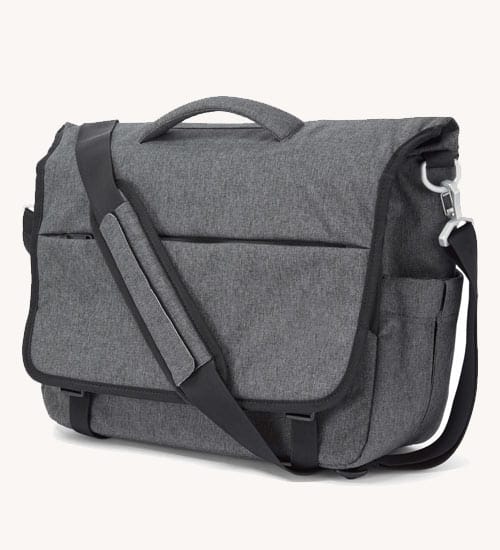
A laptop bag usually gives you more structure and storage than a sleeve. For daily commuting and business travel, a well-designed laptop bag should protect the device while leaving enough room for a charger, documents, phone, and small accessories.
Laptop Backpack
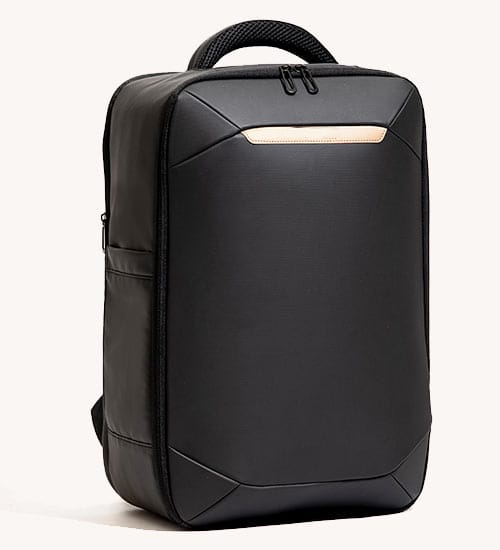
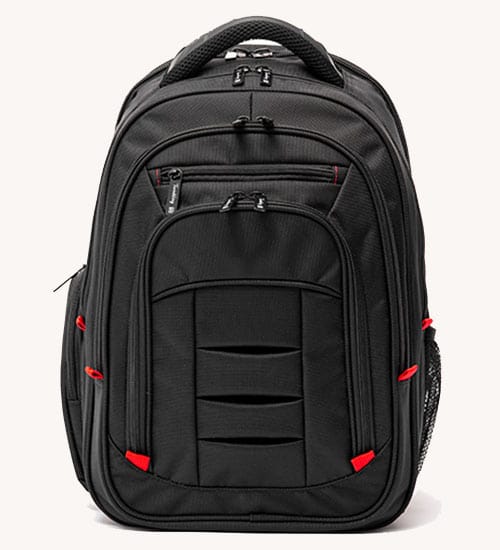
If you prefer hands-free carrying, a padded laptop backpack may be easier to use than a narrow shoulder bag. The laptop compartment should hold the device securely against your back panel without letting it sink to the bottom of the bag.
Travel Laptop Bag
A travel laptop bag may need more space for cables, documents, power banks, headphones, and personal items. But the laptop should still be held in a protected compartment. If you often fly with a computer, it is also useful to understand whether a laptop bag counts as carry-on luggage before choosing a travel-ready design.
How to Measure a Laptop With a Hard Case On
If you use a snap-on shell, rugged cover, or protective case, measure the laptop with the case attached. The case may add width, depth, and thickness, especially around the corners.
This matters because laptop sleeves and fitted compartments are often designed with limited extra space. A laptop that fits perfectly without a case may become too tight once the case is added.
Measure:
Total width with the case
Total depth with the case
Total thickness with the case
Corner shape if the case has raised bumpers
If the case is bulky, choose a laptop bag or backpack instead of a tight sleeve.
How to Know If Your Laptop Will Fit in a Backpack
A laptop backpack needs to do more than fit the laptop. It should hold the laptop securely and keep it away from heavy items in the main compartment.
Before buying, check:
The laptop compartment’s internal dimensions
Whether the compartment is padded on the back and bottom
Whether the zipper opens wide enough
Whether the laptop sits above the bottom of the bag
Whether there is a strap or elastic band to hold the laptop in place
Whether the bag still feels comfortable when the laptop is inside
A backpack that is too loose can allow the laptop to move around. A backpack that is too tight can make the zipper difficult to close and may put pressure on the screen corners.
For extra protection, especially when carrying books, tools, or travel items, it is worth learning more about protecting a laptop in a backpack.
Tips for Choosing the Right Laptop Bag
After measuring your laptop, use those numbers to choose a bag that balances fit, protection, and daily use.
Look for these features:
A laptop compartment slightly larger than your laptop body
Soft lining to reduce scratches
Padding on the back, front, and bottom of the compartment
A zipper opening wide enough for easy access
Space for charger and accessories
Water-resistant fabric for commuting or travel
A luggage strap if you often use a suitcase
A structure that keeps the laptop upright and stable
For product teams developing travel-friendly laptop bags, this same measurement logic matters during design. A laptop compartment should match real device dimensions, not only the screen-size label. Vancharli Outdoor supports custom laptop bag development with adjustable compartment sizing, padding structure, materials, and branding for business, commuting, and travel use.
Simple Laptop Measuring Checklist
Before choosing a laptop bag, write down these numbers:
Screen size: ______ inches
Laptop width: ______ inches / cm
Laptop depth: ______ inches / cm
Laptop thickness: ______ inches / cm
Hard case included? Yes / No
Charger and accessories needed? Yes / No
Bag type: sleeve / shoulder bag / backpack / travel bag
Laptop compartment size: ______ inches / cm
If the bag’s internal laptop compartment is slightly larger than your laptop body and the bag has enough padding, the fit should be safe and practical.
Final Thoughts
Measuring laptop size for a bag is simple, but you need to measure the right thing. Screen size tells you the general laptop category, and for many standard laptops, that category is enough to choose a normal laptop bag. But the most accurate fit depends on the full laptop body: width, depth, and thickness.
Close the laptop, measure the outside dimensions, include any rubber feet or hard case, and compare your numbers with the bag’s internal laptop compartment size. A good laptop bag should fit securely, protect the device, and still give you enough space for daily essentials.
If you only remember one thing, remember this: the screen-size label is useful, but the laptop body dimensions give you the safest fit.
FAQ
Is laptop size measured by screen or body?
Laptop screen size is measured diagonally across the display, but bag fit depends on the full laptop body. For a laptop bag, you should measure width, depth, and thickness with the laptop closed if you want the most accurate fit.
Is a 15.6-inch laptop actually 15.6 inches wide?
No. A 15.6-inch laptop usually has a 15.6-inch diagonal screen. The full laptop body may be wider because of the bezel, casing, and hinge.
Will a 15.6-inch laptop fit in a 15.6-inch laptop bag?
Usually yes, if it is a standard slim or office laptop. But if the laptop is thick, rugged, unusually wide, or has a hard case, check the bag’s internal laptop compartment dimensions before buying.
Should a laptop sleeve be tight or loose?
A laptop sleeve should be slightly snug but not difficult to close. It should hold the laptop securely without pressing hard on the corners or zipper.
What if my laptop is between two bag sizes?
Check the internal laptop compartment dimensions. If your laptop is close to the maximum size, choose the slightly larger bag or sleeve.
Can a 15-inch laptop fit in a 14-inch bag?
Sometimes, but you should not assume it will. Measure the laptop body and compare it with the internal compartment dimensions of the bag.
Do I need to measure laptop thickness?
Yes. Thickness matters, especially for gaming laptops, workstations, older laptops, rugged laptops, or laptops with hard cases.
Should I measure my laptop with a hard case on?
Yes. If you normally keep a hard case on your laptop, measure the laptop with the case attached. The case can change the width, depth, and thickness.











Comments are closed