



Can You Put a Laptop in a Checked Bag? TSA Rules, Battery Safety, and Packing Tips
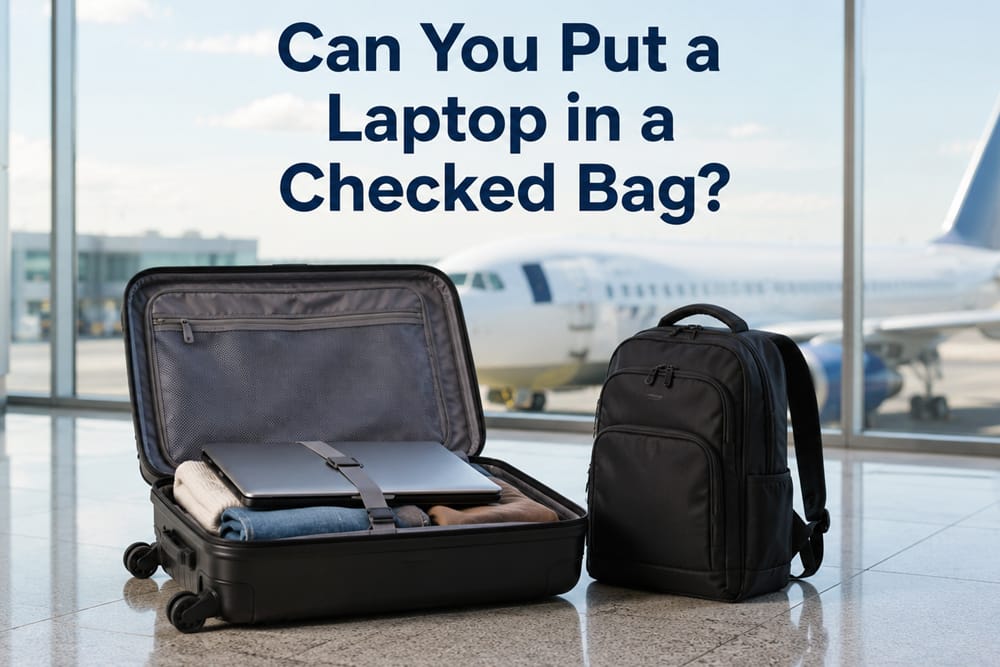
You can usually put a laptop with an installed battery in a checked bag, but it is not the safest or most recommended choice.
For most travelers, the better answer is simple: keep your laptop in your carry-on bag or personal item whenever possible. A laptop is valuable, fragile, battery-powered, and often contains personal or business data. Checked baggage can be dropped, stacked, delayed, opened for inspection, or lost in transit.
There is also an important battery rule. A laptop with its battery installed may be allowed in checked baggage in many cases, but spare lithium batteries, portable chargers, and power banks must not go in checked baggage. They must stay with you in the aircraft cabin.
So the practical answer is this: you usually can check a laptop, but you should avoid it unless you have no better option.
What TSA and FAA Rules Say About Laptops in Checked Bags
TSA and FAA guidance both treat laptops as portable electronic devices that usually contain lithium batteries.
The FAA says devices containing lithium metal or lithium-ion batteries, including laptops, should be kept in accessible carry-on baggage. If these devices are packed in checked baggage, they should be turned completely off, protected from accidental activation, and packed so they are protected from damage. You can review the official FAA guidance on lithium batteries in baggage before flying.
The FAA also makes a clear distinction between devices with installed batteries and spare batteries. Spare lithium batteries, portable rechargers, and power banks are prohibited in checked baggage and must be carried in the cabin. You can also check the FAA PackSafe guidance for portable electronic devices with batteries for current details.
TSA also notes that devices containing lithium metal or lithium ion batteries should be carried in carry-on baggage. Its screening guidance explains that most consumer electronic devices containing batteries are allowed, but final decisions may be made by the TSA officer at the checkpoint. You can check the current TSA guidance for batteries and electronic devices before packing.
That means a laptop is not treated the same way as a power bank or loose replacement battery. The laptop itself may be allowed in checked baggage, but the better and safer place is still your carry-on bag.
Do Laptop Rules Vary by Airline, Country, or Route?
Yes. General lithium battery safety rules are similar in many markets, but specific rules can vary by airline, country, route, aircraft type, and connection airport.
Some airlines may apply stricter rules than general airport security guidance, especially for international flights, gate-checked bags, smart luggage, recalled batteries, or devices with larger lithium batteries. A laptop that is allowed on one route may still be subject to different handling rules on another airline or in another country.
IATA also advises travelers to check airline rules and keep lithium-powered devices and spare batteries in hand baggage. You can review IATA’s passenger guidance for safe travel with lithium batteries before international trips.
Before flying, do not rely only on a general TSA or airport security rule. Check your airline’s current battery and baggage policy, especially if you are traveling internationally, carrying multiple electronic devices, using smart luggage, or flying with a power bank.
Laptop Battery Rules: Installed Battery vs Spare Battery
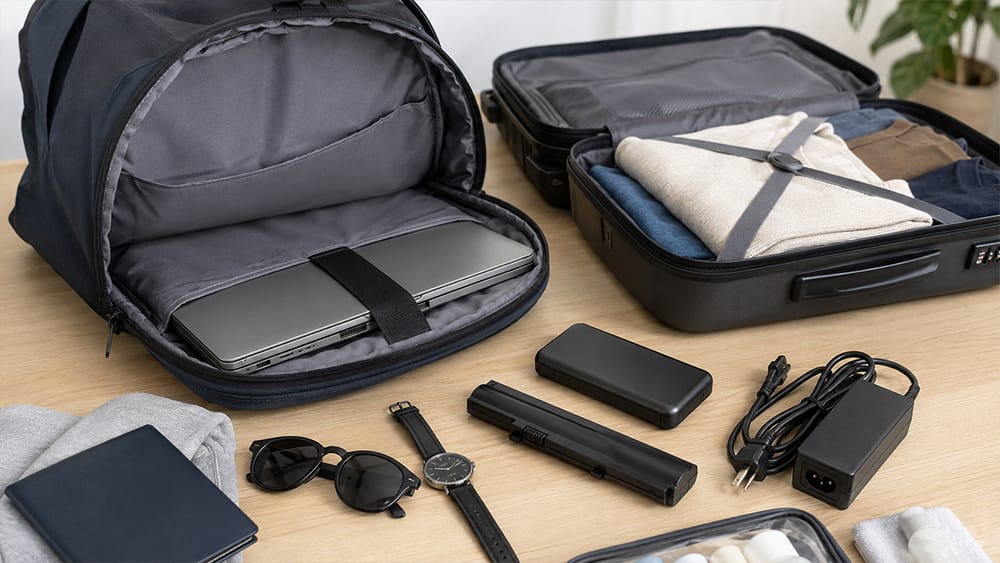
The most important detail is whether the battery is installed inside the laptop or packed separately.
| Item | Checked Bag | Carry-On Bag | Notes |
|---|---|---|---|
| Laptop with installed battery | Usually allowed in many cases, but not recommended | Recommended | Must be fully powered off if checked |
| Spare laptop battery | Not allowed | Required | Terminals should be protected |
| Power bank | Not allowed | Required | Treated as a spare lithium battery |
| Portable charger | Not allowed | Required | Must stay accessible in the cabin |
| Laptop charger cable / adapter | Usually allowed | Allowed | Charger without battery is usually not the main issue |
| External hard drive | Usually allowed | Allowed | Carry-on is safer for data and damage protection |
| Smart luggage battery | Depends on battery type and removability | Often required | Check airline rules before travel |
This is where many travelers get confused. The laptop’s built-in battery is not the same as a loose lithium battery. A loose battery has a higher handling risk because it is not protected inside the device. That is why spare batteries and power banks must stay in carry-on baggage.
If you travel with a removable laptop battery, keep it in your carry-on bag and protect the terminals from short circuit. If you use a power bank for travel, do not pack it in checked luggage.
Can You Pack a Laptop Charger in Checked Luggage?
Yes, in most cases, you can pack a laptop charger, adapter, or cable in checked luggage.
A standard laptop charger does not usually create the same issue as a lithium battery because it does not store battery power in the same way a power bank does. You can pack the charger in your checked suitcase, laptop bag, or carry-on bag.
However, it is still more practical to keep your charger with you if you may need to work during a delay, layover, or long flight. If your checked bag is delayed, having your laptop but no charger can still create a problem.
A good travel setup is:
- Laptop in your carry-on bag
- Charger in your carry-on or personal item
- Power bank in your carry-on only
- Spare batteries in your carry-on only
- Cables organized in a small pouch
For business travelers, students, and remote workers, this is usually the safest arrangement.
What About Power Banks and Portable Chargers?
Power banks, portable chargers, and spare lithium batteries should never be packed in checked baggage.
A power bank is considered a spare lithium battery because it stores power independently from a device. This rule applies even if the power bank is small.
If your carry-on bag is gate-checked, remove power banks and spare lithium batteries before handing the bag over. They should stay with you in the cabin.
This is especially important on crowded flights where carry-on bags may be checked at the gate. A laptop backpack, business bag, or personal item that fits under the seat can help you keep essential electronics and batteries with you.
Why Carry-On Is Still the Better Choice
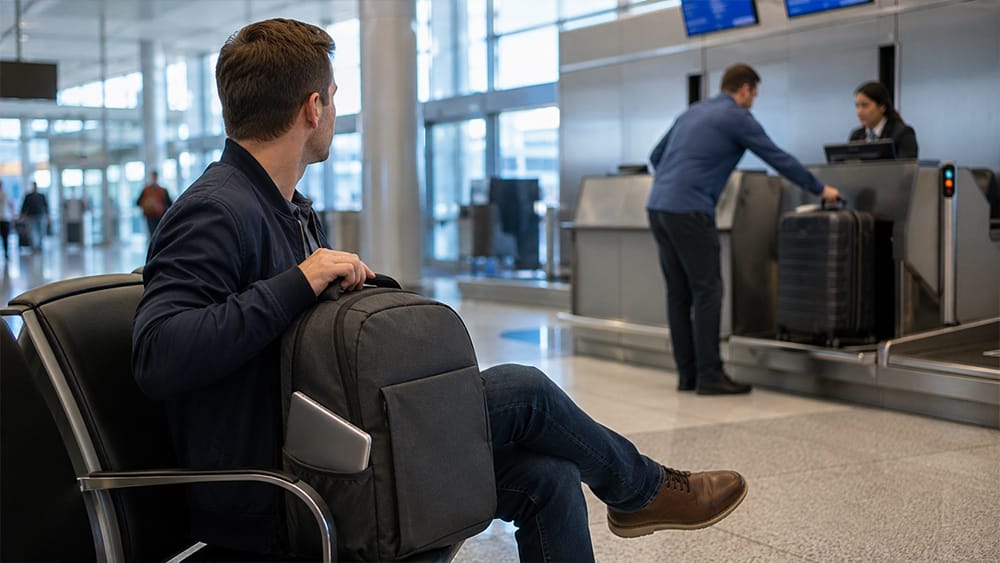
Even when a laptop is allowed in checked baggage, carry-on is still the better choice.
Checked Bags Are Handled Roughly
Checked luggage goes through conveyors, carts, baggage holds, stacking, loading, and unloading. Your suitcase may be dropped, pressed under heavier bags, or hit against hard surfaces.
A laptop screen, hinge, casing, and internal components can be damaged by pressure or impact. Even a hard suitcase does not guarantee protection if the laptop is placed near the edge, corner, or wheel side.
Checked Bags Can Be Delayed or Lost
If your checked bag is delayed, your laptop may be unavailable for work, study, travel documents, or communication. This is especially risky for business travelers, students, remote workers, and anyone carrying project files or client data.
Theft Risk Is Higher
Laptops are high-value items. While most checked bags arrive safely, valuables are generally safer when kept with you. Many airlines also limit liability for electronics or valuable items in checked luggage, so replacement may not be simple if something goes wrong.
Battery Incidents Are Easier to Handle in the Cabin
Lithium battery incidents are rare, but if a device overheats in the cabin, passengers and crew can detect and respond to it more quickly. In the cargo hold, detection and response are more difficult.
Data Privacy Matters
A laptop is not only hardware. It may contain personal information, business files, login sessions, financial documents, photos, or confidential work. If the laptop is lost or stolen, the data risk can be more serious than the cost of the device.
If You Must Check a Laptop, How Should You Pack It?
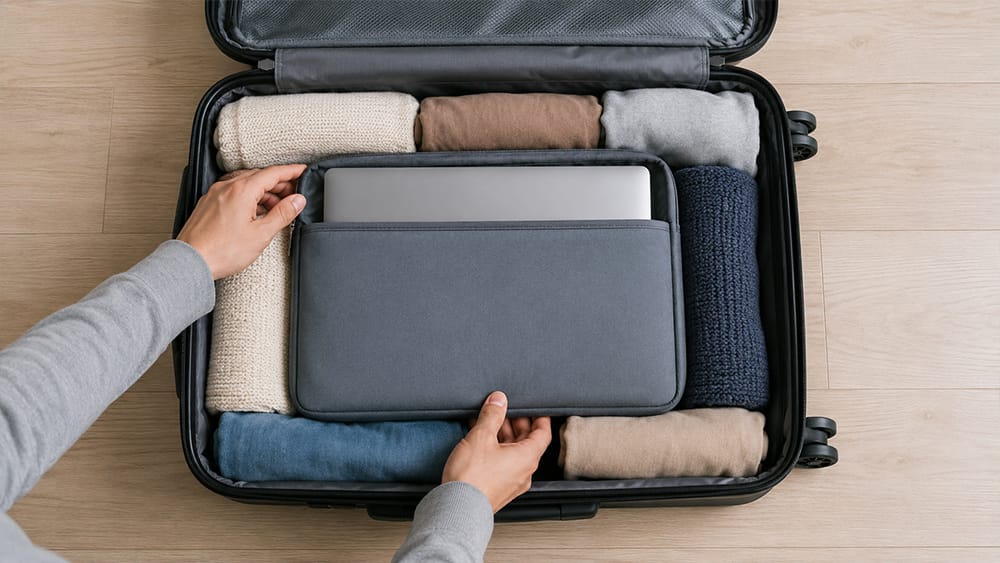
Sometimes travelers have no choice. If you must put a laptop in checked luggage, pack it carefully.
Use this checklist:
- Fully shut down the laptop; do not leave it in sleep mode.
- Remove power banks, spare batteries, and portable chargers.
- Use a padded laptop sleeve.
- Place the laptop in the center of the suitcase.
- Surround it with soft clothing on all sides.
- Keep it away from suitcase edges, corners, wheels, and hard objects.
- Do not place heavy items directly on top of the screen.
- Avoid packing liquids near the laptop.
- Use a waterproof or water-resistant inner pouch if possible.
- Back up important data before travel.
- Use a password, device encryption, and remote tracking if available.
- Take a photo of the laptop condition before packing if it is valuable.
The goal is to reduce pressure, impact, moisture, accidental activation, and data risk.
A laptop sleeve alone may not be enough for checked luggage. It is better to combine a padded sleeve with clothing protection and careful suitcase placement.
Where Should a Laptop Sit Inside a Suitcase?
If a laptop must go in checked luggage, the safest position is usually the center of the suitcase, surrounded by soft items.
Do not place the laptop:
- Against the outer shell
- Near the suitcase wheels
- Near the corners
- Under heavy shoes or hard items
- Next to liquids
- In an outside pocket with little padding
- Flat under heavy pressure
A better packing method is:
- Put the laptop in a padded sleeve.
- Place soft clothing at the bottom of the suitcase.
- Put the laptop sleeve in the center.
- Add clothing around the sides.
- Keep shoes, toiletry bags, and hard objects away from the laptop.
- Make sure the screen side is not under direct pressure.
If your suitcase has compression straps, do not tighten them directly over the laptop screen.
When You Should Never Put a Laptop in Checked Baggage
There are times when checking a laptop is a bad idea.
Avoid checking your laptop if:
- It is a work laptop with confidential files.
- It contains important documents you have not backed up.
- It is expensive or difficult to replace.
- You need it during a layover or immediately after landing.
- You are taking multiple flights or long connections.
- Your suitcase is soft-sided with little structure.
- The laptop screen or hinge is already fragile.
- You are traveling internationally with strict airline battery rules.
- You are carrying spare batteries or power banks in the same bag.
- Your carry-on bag is likely to be gate-checked and you cannot remove the laptop easily.
For business trips, school travel, remote work, and international travel, keeping the laptop with you is almost always the smarter option.
What Type of Bag Protects a Laptop Best When Traveling?
The best travel setup is a carry-on laptop bag, laptop backpack, or personal item with a dedicated padded laptop compartment.
A good laptop travel bag should include:
- Padded laptop compartment
- Soft lining
- False-bottom protection so the laptop does not hit the ground directly
- Secure strap or elastic holder inside the compartment
- Water-resistant exterior fabric
- Smooth zippers that do not scratch the device
- Separate charger pocket
- Easy airport access
- Enough structure to prevent bending
- Comfortable straps for long travel days
For many travelers, a laptop backpack for travel and daily carry is safer than placing the laptop inside checked luggage. A backpack keeps the computer close, reduces handling risk, and makes it easier to access during security screening, delays, or work breaks.
If you choose to keep your laptop with you, make sure your backpack, laptop bag, or carry-on also fits the airline carry-on size limits.
What This Means for Laptop Bag and Travel Bag Design
For brands, travel retailers, and business bag buyers, this topic also explains why laptop compartment design matters.
A laptop bag is not just a regular bag with a sleeve inside. The compartment needs to protect the device from impact, pressure, moisture, and movement. Good design should consider padding thickness, compartment position, false-bottom height, zipper access, charger storage, shoulder comfort, and carry-on-friendly dimensions.
For brands developing custom laptop bags with padded compartments, business backpacks, or travel bags, Vancharli Outdoor can help design laptop storage layouts that match different users, such as commuters, business travelers, students, airline passengers, and remote workers.
The best travel laptop bag should make the safest choice easy: keep the laptop with the traveler, not buried inside checked luggage.
Final Recommendation
So, can you put a laptop in a checked bag?
In many cases, yes, a laptop with an installed battery may be allowed in checked baggage. But it is not the best choice. The safer option is to keep your laptop in your carry-on bag or personal item.
Never pack spare lithium batteries, portable chargers, or power banks in checked baggage. If you must check a laptop, shut it down completely, protect it with padding, place it in the center of the suitcase, keep it away from hard items and liquids, and back up your data before flying.
Because airline and country rules may vary, always check your airline’s current battery and baggage policy before departure, especially for international flights.
The simplest rule is this: carry your laptop with you whenever possible.
FAQ
Can I put a laptop in checked luggage internationally?
In many cases, a laptop with an installed battery may be allowed in checked luggage, but international rules can vary by airline, country, and route. Always check your airline’s current battery and baggage policy before flying.
Do laptop rules vary by airline or country?
Yes. General lithium battery safety rules are similar in many markets, but airline policies and country-specific enforcement can vary. Some airlines may be stricter about checked baggage, smart luggage, larger batteries, gate-checked bags, or international routes.
Does TSA allow laptops in checked bags?
TSA generally allows many consumer electronic devices, but devices with lithium batteries should be carried in carry-on baggage when possible. The final decision may depend on screening and airline rules.
Should my laptop be turned off in checked luggage?
Yes. If you must pack a laptop in checked luggage, it should be completely powered off. Do not leave it in sleep or standby mode.
Can I put a MacBook in checked luggage?
A MacBook is still a laptop with a built-in lithium battery. It may be allowed in checked baggage in many cases, but it is safer to keep it in your carry-on bag.
Can I pack a laptop charger in checked luggage?
Yes, a standard laptop charger or adapter can usually go in checked luggage. However, keeping it in your carry-on is more practical in case of delays or lost luggage.
Can power banks go in checked baggage?
No. Power banks are considered spare lithium batteries and must be carried in carry-on baggage. They should not be packed in checked luggage.
Is a laptop sleeve enough for checked luggage?
A laptop sleeve helps, but it may not be enough by itself. If you must check a laptop, place the sleeved laptop in the center of the suitcase and surround it with soft clothing.
Can checked luggage damage a laptop?
Yes. Checked bags may be dropped, compressed, stacked, or handled roughly. This can damage the screen, hinge, casing, or internal components.
What is the safest way to fly with a laptop?
The safest way is to keep the laptop in a padded laptop compartment inside your carry-on bag or personal item, with power banks and spare batteries also kept in carry-on baggage.






Comments are closed