



How to Choose the Best Method for Printing Logos on Plastic

Imagine you want to make your brand stronger by printing logos on plastic things for your business. You need a way that fits your goals and works well with your products. Before you pick, think about these important things:
- Material compatibility helps your logo stay clear on different plastics.
- Durability keeps your logo looking new, even outside.
- Detail and resolution are important for hard designs.
- Color accuracy makes sure your brand colors look right each time.
Think about your design, your budget, and how long you want your logo to last.
Key Takeaways
- Pick a printing method that fits the plastic type. Some plastics work best with certain methods.
- Think about how long the print will last outside. Use UV coatings or strong inks to keep logos bright.
- Match your budget to the printing method you pick. Screen printing saves money for big orders. Digital printing is better for small batches.
- Make sure colors are correct by using the Pantone Matching System. This keeps brand colors the same on all prints.
- Get the plastic ready before printing. Clean and treat it so the ink sticks well and lasts longer.
Printing Logos on Plastic: Main Methods
If you want to print logos on plastic, you should know the main ways to do it. Each way works best for different projects and types of plastic. This guide will help you learn how each method works and where you can use it.
Screen Printing
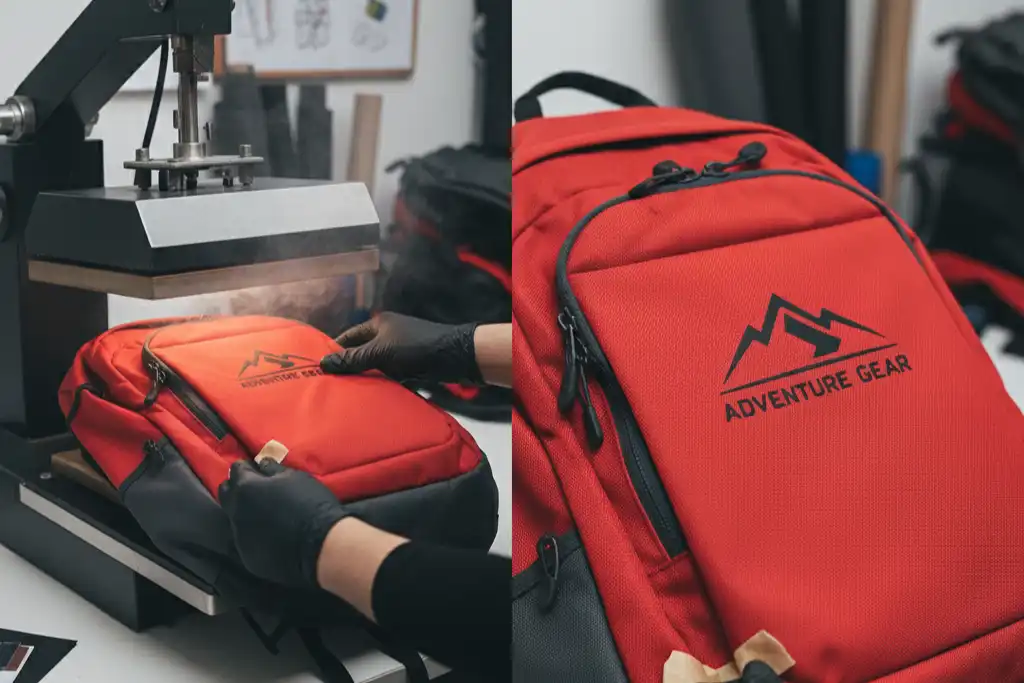
Screen printing uses a stencil with small holes to put ink on plastic. First, you make your design and create a film. Then, you get the screen ready, clean the plastic, print the logo, dry it, and check the result. This method is good for flat or a little curved things like signs, cups, and backpacks. People like screen printing for simple designs and hard plastics. It gives strong prints that last a long time, so it is good for printing many items at once. If you want to use lots of colors, you need a new stencil for each color, which can cost more.
Tip: Always use inks made for plastic to get the best and longest-lasting prints.
| Advantages | Disadvantages |
|---|---|
| High quality output | Higher cost for more colors |
| High durability | Less cost-effective for small batches |
| Wide range of print materials | Less suitable for complex designs |
Pad Printing
Pad printing uses a soft pad to pick up ink from a plate and press it onto the plastic. This way works well for printing logos on things with odd shapes or small spaces, like pens, mugs, and keychains. The ink sticks well to many plastics and does not wear off or fade easily. You can use pad printing for things people touch a lot or use outside.
- Pad printing keeps colors bright and clear for a long time.
- You can use special ways to make the prints last even longer.
Digital Printing
Digital printing uses special printers to put ink right onto plastic. It gives sharp images and works fast, which is good for detailed logos and small orders. Digital printing works on hard sheets and some films, like power banks, coasters, and machine parts. You can finish jobs quickly and get bright colors.
Note: Always use the right printer and ink for your type of plastic.
| Feature | Digital Printing | Traditional Printing |
|---|---|---|
| Print Speed | Up to 70 meters per minute | Slower, needs more setup |
| Print Resolution | Up to 1440 dpi | Lower resolution |
| Turnaround Time | 3-5 days for small batches | 1-2 weeks for production |
Other Methods
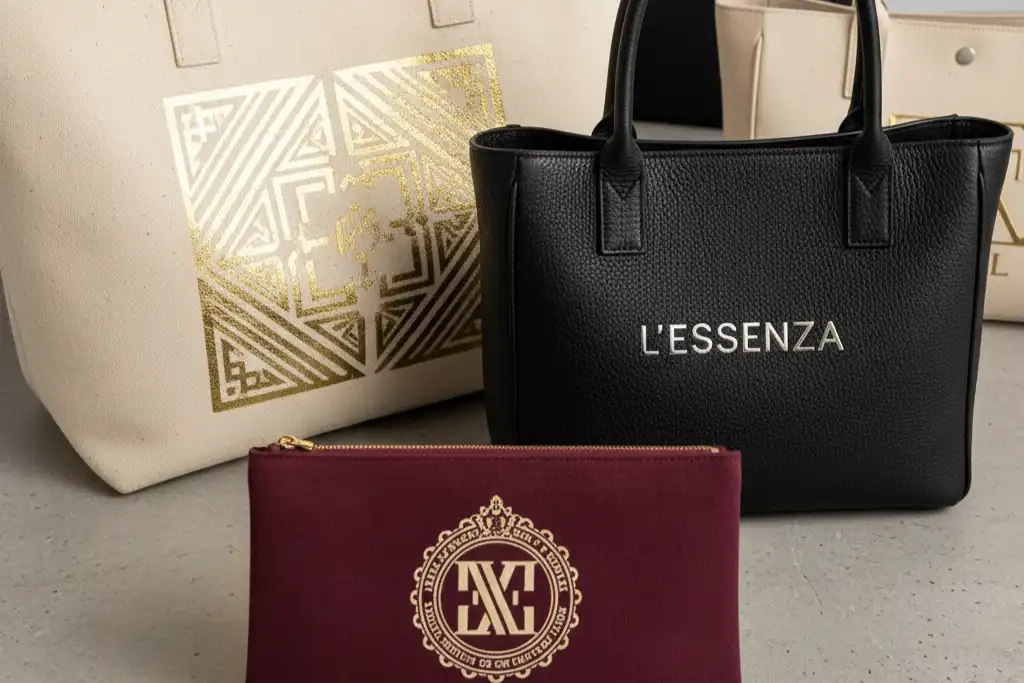
You can also use hot stamping, flexographic printing, gravure printing, or laser marking. Hot stamping uses foil instead of ink and is good for packaging. Flexo and gravure printing are best for soft films, while laser marking makes marks that last on many plastics.
| Printing Method | Compatible Plastic Substrates |
|---|---|
| Digital UV Inkjet/DTF | Hard sheets, some films |
| Screen Printing | PVC, PET, PP, PE, PS |
| Pad Printing | PVC, PET, PP, PE, PS |
| Flexo/Gravure | Soft plastic films for packaging |
| Laser Marking | Many plastics for lasting marks |
Printing logos on plastic gives you many options. You need to choose the best way, printer, and ink for your job.
Key Factors to Compare
Material Compatibility
You need to match the printing method to the plastic type. Some plastics work better with certain printing ways. For example, screen printing works best for PVC and PET. UV printing is good for hard sheets. If you use HDPE bottles, do not pick methods that need very smooth surfaces. Check the table below to see which plastics fit each method:
| Plastic Type | Best For | Avoid If |
|---|---|---|
| High-Impact Polystyrenes (HIPs) | Short-term signs, mockups, point-of-purchase displays | Long-term durability or outdoor use |
| Modified Styrene | Durable signage, printed templates, membership cards | Color variety or a more cost-effective option |
| High-Density Polyethylene (HDPE) | Outdoor signage, reusable tags, industrial labels | Ultra-smooth surfaces for intricate designs |
| Polyvinyl Chloride (PVC) | High-quality signs, menus, badges, and packaging | Environmental impact or recycling is a priority |
| Polypropylene | Folders, product packaging, menu covers | Outdoor or heat-heavy environments |
| Polyester | Banners, reusable posters, durable signage | Budget is a major constraint |
Tip: Always check the plastic type before you pick a printing method.
Print Quality
Print quality depends on the ink, the plastic, and the printing way. If you want sharp logos, use digital or UV printing. These give high detail and bright colors. Screen printing gives solid colors for big batches. Look at the table below to see what affects print quality:
| Factor | Description |
|---|---|
| Quality of Ink | Good ink makes your logo look clear and bright. |
| Substrate | The plastic type changes how the ink sticks. |
| Printing Process | Some methods give better detail than others. |
| Drying Methods | Fast drying keeps the logo from smudging. |
Note: If you do not match the right ink and process to your plastic, your logo may fade or look blurry.
Durability
You want your logo to last a long time. Outdoor signs need methods that resist sunlight and wear. Painted PVC signs outside last 5-7 years. UV coatings help logos stay bright. HDPE prints last 3-6 years before fading. Sunlight and rubbing can make logos fade or wear off faster.
- Sunlight makes logos fade and weakens plastic.
- Rubbing from use or shipping can scratch the logo.
Cost
Cost changes based on setup fees, batch size, and method. Screen printing costs more to start but gets cheaper with more items. Pad printing is good for small batches. Digital printing saves money for short runs. Here is a sample cost breakdown:
| Cost Component | Estimated Cost |
|---|---|
| Labor | $868.05 |
| Ink and additives | $19.45 |
| Pad | $20.80 |
| Tooling | $318.25 |
| Electricity | $39.93 |
| Total Costs | $1266.48 |
| Cost per widget | $0.0633 |
If you print many items, your cost per piece drops. For small orders, digital or pad printing saves money.
Customization
You can change logos in many ways. Digital printing lets you use complex designs and add names or numbers. Pad printing works for odd shapes like curved bottles. Laser printing and label printing let you add images or text for special editions.
- Engraving adds initials or simple pictures.
- Injection molding uses different colors for custom items.
- Label printing makes it easy to change designs for each batch.
Pick a method that matches your need for detail and personalization.
How to Choose the Right Method
Assess Your Needs
First, look at your project closely. You need to know what you want before picking a printing method. Ask yourself some questions:
- What kind of plastic do you have? Smooth, rough, hard, or bendy plastics need different printing ways.
- How clear and colorful do you want your logo?
- What is your spending limit for this job?
You can use the table below to help you think about your choices:
| Factor | Description |
|---|---|
| Surface Type | The kind of plastic surface changes which printing method works best. |
| Desired Print Quality | Different methods give different results; think about how good you want it. |
| Budget | Your budget affects which printing way you can pick. |
Tip: Write down your answers. This helps you compare choices and talk to printing experts.
Match Methods to Projects
You need to pick a printing method that fits your project. Each way works best for certain things. Here are some examples:
- Screen printing is good for items you give away. It gives bright colors and strong prints.
- Pad printing is great for small or odd-shaped things like pens or keychains.
- Digital printing is best for detailed logos and small orders.
- Flexographic and gravure printing work well for big jobs like packaging.
If you want your brand colors to match every time, use the Pantone Matching System (PMS). PMS helps you get the same color each time, which is important for giveaways. CMYK printing is good for tricky designs but may need extra checks for quality, especially for factory parts.
You can use commercial screen printing on many things, like plastics, glass, and clothes. Many businesses use this for custom items, signs, and shirts.
Note: Think about where your product will go. Outdoor things need printing that can handle sun and wear.
Here are some tips for different project sizes:
- Big projects work best with flexographic or gravure printing. These ways are fast and save time.
- Small or custom jobs fit digital printing. You save money and get quick results.
- Gravure and digital printing give sharp images. Gravure is best for tiny details, while digital printing gives bright pictures.
- Gravure costs more to start but saves money for big orders. Digital printing costs less to start for small batches.
- If your product touches food or needs to be safe, make sure your ink and plastic follow the rules.
Decision Checklist
Use this checklist to help you pick the right way to print logos on plastic:
| Consideration | Description |
|---|---|
| Ink Selection | Pick from solvent-based, UV-curable, or water-based inks for your needs. |
| Material Compatibility | Make sure your plastic works with the printing method you choose. |
| Print Quality and Speed | Find a balance between fast printing and good results. |
| Surface Preparation | Clean and treat the plastic so the ink sticks better. |
| Maintenance | Keep your printing machines in good shape for the best results. |
- Check what kind of plastic and surface you have.
- Decide how much detail and color you want.
- Set your budget and how many you need.
- Get the surface ready for printing.
- Pick the right ink for your area.
- Plan to take care of your machines.
If you are not sure, talk to a printing expert or ask for a sample. Seeing a sample helps you know what to expect and avoid problems.
Printing logos on plastic is easier when you follow these steps. You can find the best way for your needs and get logos that last.
When you pick how to print logos on plastic, you should think about a few key things. These include material compatibility, durability, detail and resolution, and color accuracy. If you know what each method does well and what it cannot do, you can finish your project faster and be happier with the results. Use a checklist to help you decide, and ask experts if you are unsure. Begin by making your design, choosing good inks, and trying out your prints. This way, your logos will look nice and stay on for a long time.
FAQ
What is the best way to print a logo on curved plastic items?
Pad printing works best for curved or uneven surfaces. You can use it for pens, bottles, or keychains. The soft pad presses ink onto the plastic, so your logo stays clear and bright.
How do you make sure the logo does not fade quickly?
You should choose inks made for plastic and add a UV coating if possible. Store your items away from sunlight. Ask your printer for samples to test durability.
Can you print full-color photos on plastic?
Yes, digital printing lets you print full-color photos and detailed images. You get sharp results and bright colors. This method works well for small batches or custom designs.
How do you pick the right ink for your plastic?
Always check the type of plastic first. Some inks work better with certain plastics. Ask your printer for advice or request a sample print before starting your project.


Comments are closed